
Usersnap General FAQ
Usersnap FAQ
Quick answers to the questions teams ask most about accounts, projects, widgets and data handling in Usersnap. Each answer links to the full article when there's more to set up.
Looking for something more specific? See the Development FAQ, the Privacy and Security FAQ and the Payments FAQ. Pricing and usage questions are answered on the pricing page.
On this page
- About Usersnap: general FAQ
- Your account and login
- Team and roles
- Projects, page views and installation
- Widgets: branding, languages and behavior
- Sharing items with your users
- Data handling, privacy and security
- Usersnap and Enterprise
About Usersnap
What can Usersnap do?
Usersnap is the product evidence platform for enterprise teams. It brings customer input from every source into one place, turns it into prioritized, evidence-backed opportunities, and keeps every roadmap decision traced back to the source behind it.
Teams use Usersnap to:
| What you want to do | How Usersnap does it |
|---|---|
| Collect product evidenct from every channel | Support tickets, surveys, CSAT, NPS, call transcripts and email replies land in one place, tagged back to their source. See Channels data ingestion. |
| Capture customer input at the point of use | In-app widgets, micro surveys, and screenshots or screen recordings with annotations. One code snippet runs them all. See Ways to collect feedback items. |
| Spot patterns across sources | AI tags every item by topic and scores it for sentiment as it arrives. You see what's trending without manual tagging. See Insights section. |
| Decide what to build | Input becomes hypotheses that you rank with your own scoring criteria. You track priorities and plan in a Now / Next / Later roadmap. See Opportunities. |
| Hand product information to the team that builds it | Two-way integrations keep statuses in sync with tools such as Jira, Azure DevOps, Linear and GitHub, and AI tools can reach your evidence through the MCP connector. See Integrations. |
| Close the loop with customers | In-app announcements, reply emails and a changelog tell the customers who asked what you shipped. See Announcements/changelog and the Board. |
Which teams use Usersnap?
Usersnap is built for product teams, and the teams around them use it to feed in evidence and act on it.
| Team | What they use Usersnap for |
|---|---|
| Product management and product research | Consolidating input from every channel, generating and scoring hypotheses, and building a roadmap where every item can be traced back to its evidence. See Usersnap for Product managers. |
| Product operations | Connecting the tool stack once so input flows in automatically, and setting up workflows, permissions and integrations across teams. |
| Engineering and QA | Bug reports with screenshots, screen recordings, console logs and metadata, synced to the team's issue tracker. See Usersnap for Dev Teams. |
| Customer success and support | Turning customer conversations into product insights and closing the loop when a requested change ships. See Usersnap for CS Teams. |
| Marketing | Collecting input on websites and campaigns, and announcing releases in-app. See Usersnap for Marketing teams. |
| Product leadership | Reviewing the roadmap with the evidence behind each decision in view. |
Organizations that roll Usersnap out across several teams or business units usually use the Enterprise plan. See Usersnap for Enterprise customers.
How does Usersnap use AI?
AI in Usersnap does the synthesis work between collecting input and deciding what to build. It’s built into the product, so product, support, UX and engineering work from the same evidence instead of in silos. It runs with clear guardrails: your data is never used to train AI models, the AI only works with the input your team has collected, every output can be traced back to its source, and the AI stays off until you opt in.
What the AI does
- Topic and sentiment tagging. Every item is tagged by topic and scored for sentiment as it arrives, so you can see shifts across projects, topics or time. You can define the topics the AI uses.
- Hypotheses generation. The AI analyzes patterns in your input and suggests possible root causes, each backed by the items behind it.
- Solution generation. For a hypothesis, the AI generates a possible solution your team can review and refine.
- AI prototyping and AI tools. Evidence can flow into AI prototyping tools (see Alloy prototyping) and into the AI assistants your team already uses through the MCP connector.
- Automations. See AI-powered Automations.
How it's controlled
- Opt-in. The AI features are off until you turn them on for a project in Insights → Sentiment Sensor. The team admin can turn them off at any time in My Account → Account Settings.
- Scoped to your input. The AI works only with the input you've collected. It doesn't pull in outside data.
- No setup required. There's no taxonomy to build and no minimum data volume before tagging and pattern detection start working.
- Not used for training. The AI features run on Anthropic models hosted on AWS Bedrock. Your data isn't used to train models, and the model provider can't see it.
Details on what data the AI reads and how it's stored are in AI Features Activation.
Your account and login
How do I reset my password?
- Go to the Usersnap login.
- Click Forget your password.
- Enter your email address.
You'll receive a reset link by email shortly.
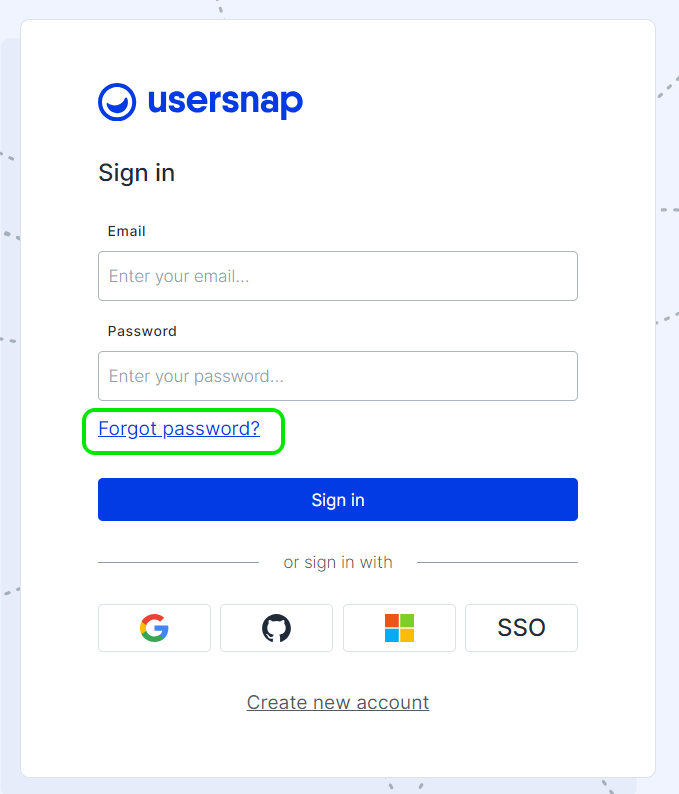
You can also reset your password from the dashboard. See Account Settings.
How can I change my email address?
For security reasons, you can't change an email address directly in the dashboard. Instead, the team member is replaced with a new account that uses the new address.
The steps are in Team management.
Can I join more than one team?
No. Each user can belong to one team only. If you already have an account and are invited to another team, delete your account first, then accept the invitation.
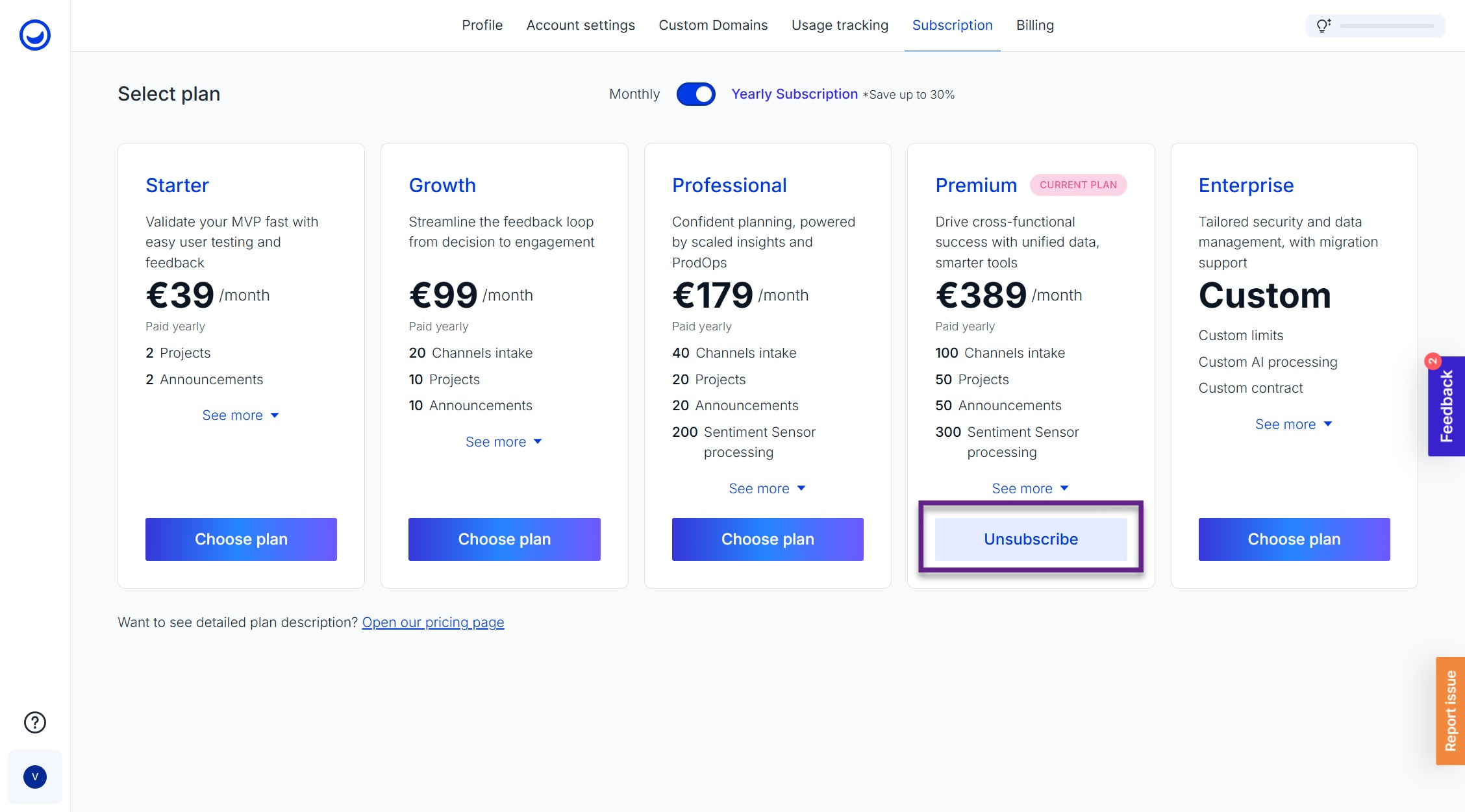
How can I cancel my subscription?
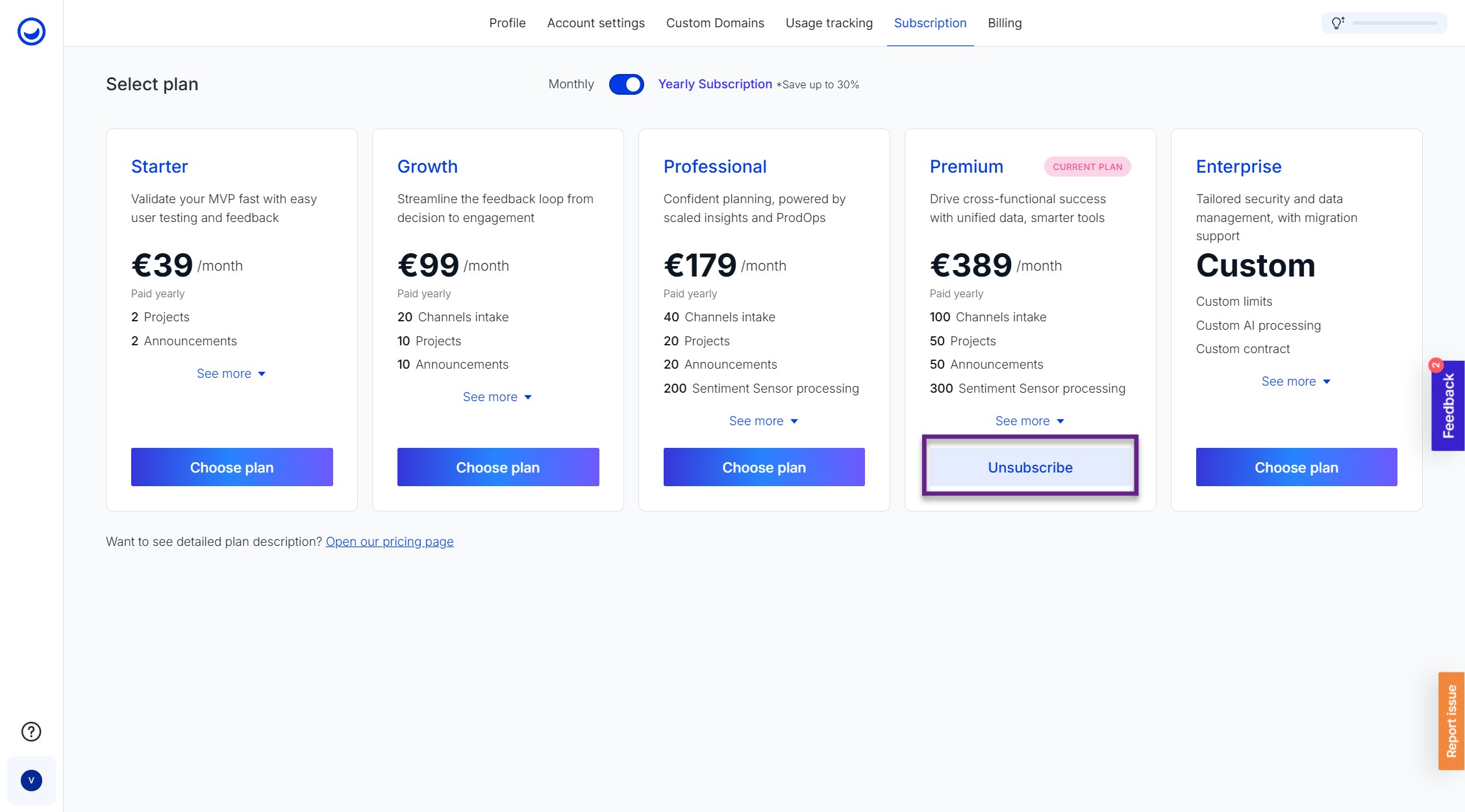
If you want to cancel your active subscription, please go to My Account -> the Subscription tab and click on the button Unsubscribe.
How can I delete my account/user?
-
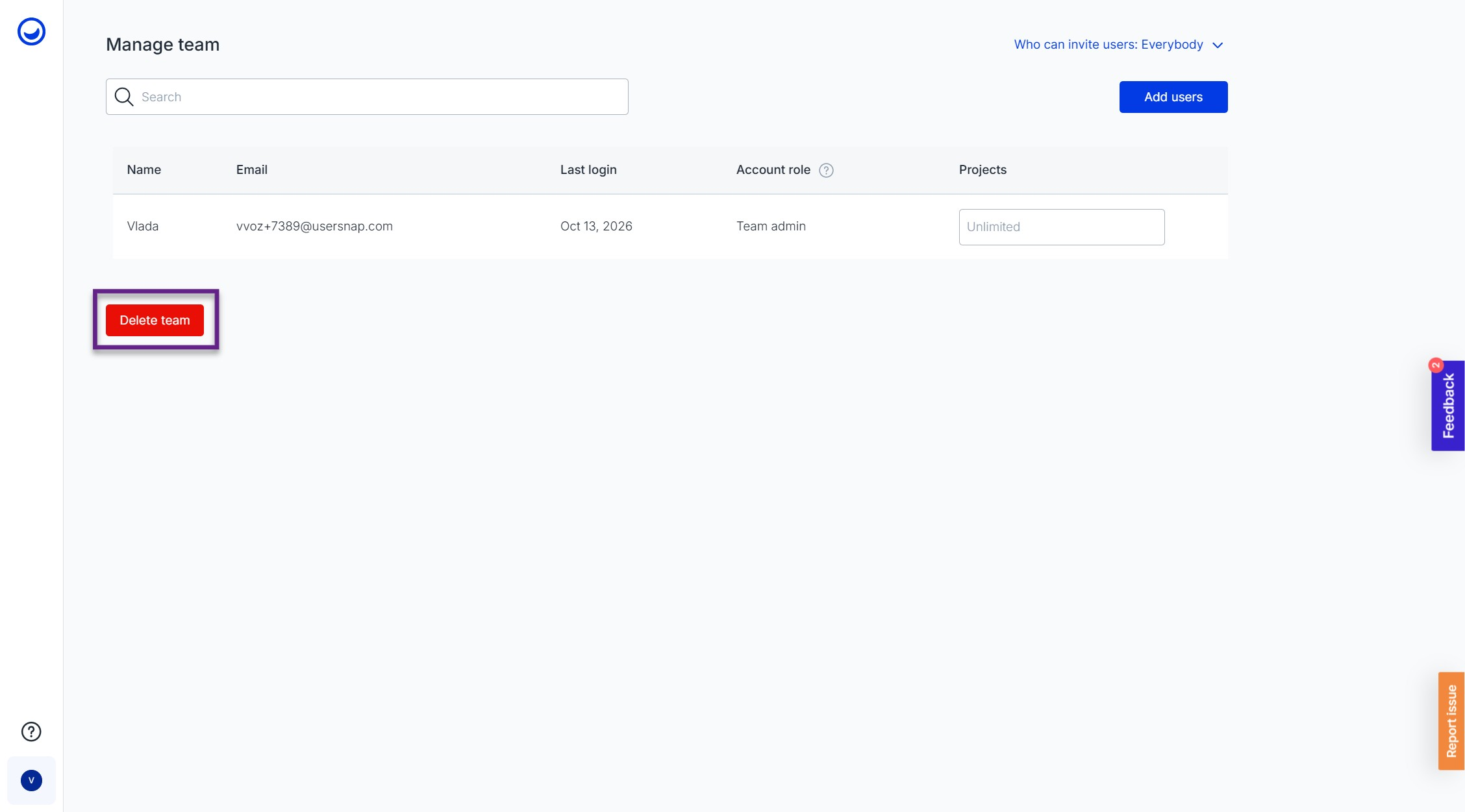
Navigate to Profile & Settings -> Manage team
-
Click on Delete team
Team and roles
What is a team member?
A team member is someone who can log in to the Usersnap dashboard and work with the rest of the team there.
More detail: What is a team member?
Can we change the team admin?
Yes. The current team admin can transfer ownership to another user.
Before you start
- You need to be the team admin.
- The new owner must already be a member of your team. If they aren't, invite them first.
Steps
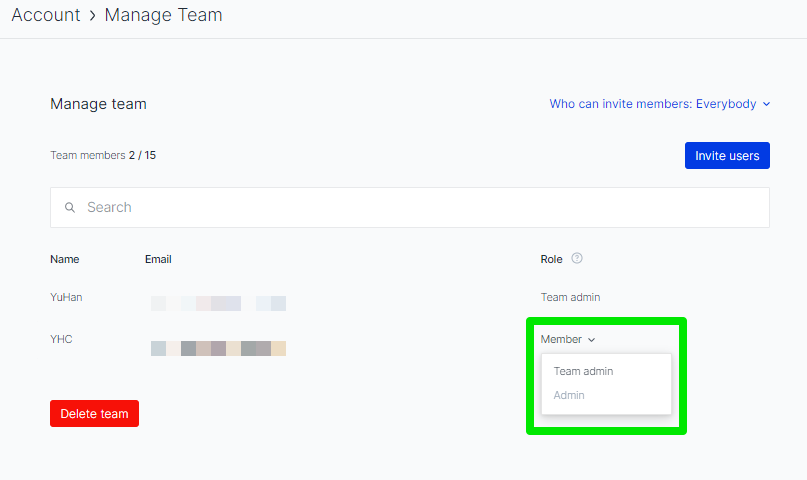
- Hover over your profile picture and click Manage Team.
- In the list of team members, find the person who should become the new owner.
- Transfer ownership to them using the option shown below.
Please notePlanning to delete the old admin's account? Transfer ownership first. Deleting a team admin's account also deletes the team's data.
Can users outside of Usersnap team access the submitted feedback items?
Yes. Share access to the Board with your guest users. They can then follow up on submitted items and interact with them, so the people who raised an issue can see what happened to it.
Projects, installation and usage limits
Do I need one project per page?
No. One project can run on as many pages as you like, and across multiple domains. The only limit that may apply is 1 million page views per month.
What do page views mean?
Every time the space (global) code snippet or a project snippet loads on your website, it counts as a page view. This applies whether or not a button or widget is actually displayed.
Is it possible to move feedback items between projects?
Yes. Open the item, click the Share icon in the top right, and move it to another project.
If the two projects aren't fully compatible, some information, such as a rating, may be removed during the move.

Can I export my projects?
You can export the feedback items in a project. See Export your project.
Why do I see unknown URLs in the Installation tab, and is my data safe?
Unfamiliar URLs in the Installation tab usually have one of two causes.
1. Development and testing environments
Developers working on your website often use local, staging or preview environments. If those environments reuse your Space API key, their URLs appear in the list of active installations. This is expected and harmless.
Common development URLs include:
localhostvercel.app(projects hosted on Vercel)netlify.app(projects hosted on Netlify)shopify-preview(preview environments on Shopify)
Examples:
To keep them out of your list: create a separate space for development and testing, and have developers use that space's API key instead of your production key. Your Installation tab then shows production and non-production environments separately.
2. AI crawlers
The Space API key is public by design, because it's part of your frontend snippet. An automated AI crawler scanning your site can pick it up and store it. This doesn't mean your system has been compromised. At most, someone could reuse the key to load the snippet elsewhere and submit a feedback item.
To rotate the key:
- Create a new space.
- Move your projects to the new space.
- Update your website with the new Space API key.
The old key stops working.
Is my data safe?
Yes. Anyone who copies and loads your snippet can only submit feedback items. They can't access private data, edit customer data, change your project, or access the dashboard. The Space API key grants no administrative access; it only allows public-facing submissions.
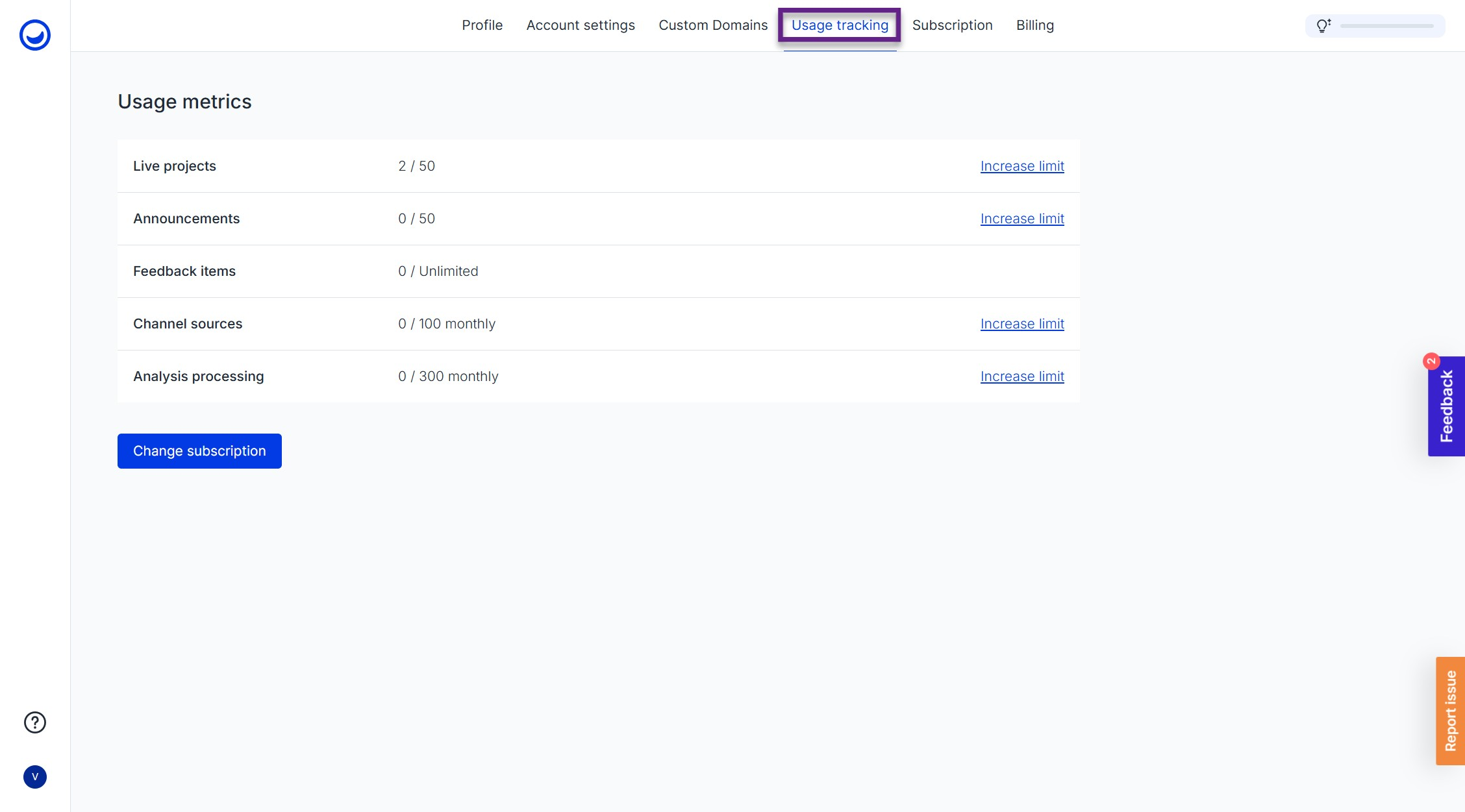
Where can I see my usage limits?
Each paid plan lists its usage limits in the plan description, so you can check them before you subscribe.
After you subscribe, you can track how much of each limit you've used in Profile & Settings > Usage tracking.
Widgets: branding, languages and behavior
Can I customize or brand the Usersnap widgets?
Yes. You can add your company logo to the widget header, use your own web font, and remove the Usersnap logo at the bottom of the widgets. See Branding and Customizing.
For CSS custom styling, see Style.
Can I whitelabel the dashboard?
No. Widget branding can be changed on certain subscription plans, but the Usersnap dashboard itself can't be whitelabeled.
Is Usersnap available in different languages?
Yes, the widgets support several languages. Set the language in your project's widget settings or via the API.
| Available languages | ||
|---|---|---|
| Chinese Simplified | French | Lithuanian |
| Chinese Traditional | German | Polish |
| Czech | Hungarian | Portuguese |
| Dutch | Italian | Romanian |
| English | Japanese | Russian |
| Serbo-Croatian | Korean | Slovak |
| Spanish | Swedish | Turkish |
How do I open the Usersnap widget with a hot key?
You can hide the feedback button and open the widget with a keyboard shortcut instead. See the example in Open a widget with a hot key.
Data handling, privacy and security
How does Usersnap store cookies?
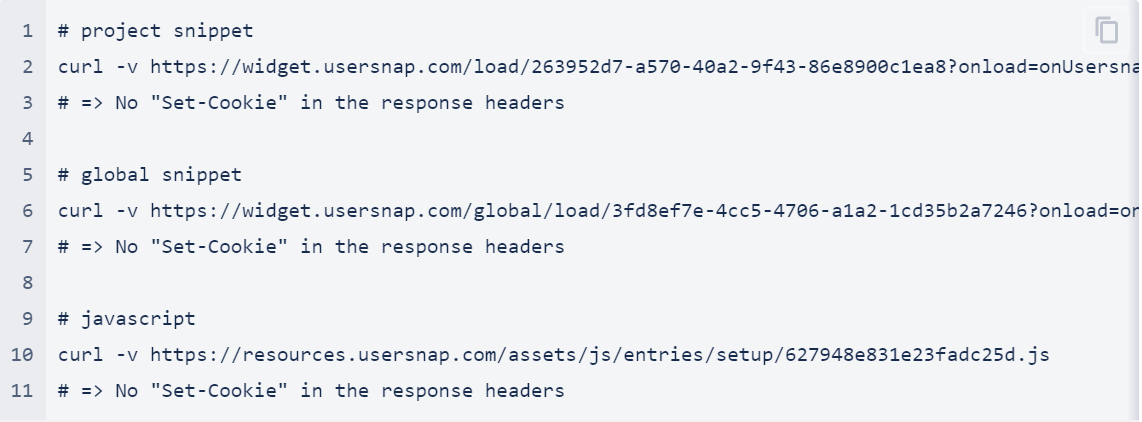
The Usersnap widgets don't store cookies on your customers' machines. Some information is stored in the browser's local storage. Details are on the Security page.
Usersnap does set cookies for your own team members when they log in to the dashboard, so you may see Usersnap cookies in your browser. These don't affect your users' browsing experience. The screenshot below shows the cookies involved. See also the privacy policy.
Can I hire your service to only process our data without keeping any of it?
Yes. With the process-only service, every item is deleted from Usersnap right after it's delivered to your assigned third-party tool (an integration).
Delete after deliveredThis is an enterprise feature. Contact the customer success team to discuss it in detail.
Can I collect feedback without having users' page data processed?
Usersnap is a cloud solution, so every user interaction passes through the Usersnap platform. There is no on-premise version.
For confidential information, you have two options:
- Process-only service. Items are deleted from Usersnap right after they're sent to your assigned third-party tool. See the question above.
- Privacy (PII) feature. Hide sections of your application so that data never reaches Usersnap's servers. See Can confidential parts of screenshots and screen recording be hidden?
User metadata such as screen size, browser and operating system is always transferred.
The browser extension is another option, mostly used internally for QA or beta testing, or where Usersnap can't be installed on the system. Screenshots taken with the extension are still sent via Usersnap's servers.
Does Usersnap support Subresource Integrity (SRI)?
No. Usersnap ships improvements almost daily, and some assets are generated dynamically from the configuration you choose in the dashboard. You can calculate the resource hashes yourself, but they're likely to change too often for that to be practical.
More questions on Privacy and Security are answered here.
Usersnap for Enterprise customers
Full overviewThe full overview of Usersnap for Enterprise customers can be found here.
What does the Enterprise plan include?
The Enterprise plan covers organizations that roll out Usersnap across multiple teams and business units. It includes:
- governance and access controls
- privacy controls for data collection
- opt-in AI with usage tracking
- flexible commercial terms, such as annual or quarterly invoicing, centralized purchasing, and custom contracts
- a dedicated Account Manager
The full overview is in Usersnap for Enterprise customers.
Can Usersnap support our security, legal and procurement reviews?
Yes. Usersnap has SOC 2, GDPR, and HIPAA-targeted documentation available for review, and regularly completes:
- security questionnaires and vendor assessments
- legal and procurement reviews
- custom DPA and NDA reviews
- custom terms and conditions
Customer data is hosted in AWS data centers in the EU (Germany and Ireland) and encrypted in transit and at rest. See Security and the Privacy and Security FAQ.
How can we control what data Usersnap processes?
Usersnap offers the following controls:
- Process-only service. Items are deleted from Usersnap right after they are delivered to your assigned third-party tool. See Can I hire your service to only process our data without keeping any of it?
- PII protection. Confidential parts of screenshots and screen recordings can be hidden, so that data never reaches Usersnap's servers.
- Access control. Single sign-on via SAML, OAuth with Google and Microsoft, and two-factor authentication. See Single-Sign-On (SSO).
User metadata such as screen size, browser and operating system is always transferred.
How is AI governed on the Enterprise plan?
AI features are available only through an explicit opt-in. They run on Anthropic models hosted on AWS Bedrock. Customer data is not used for model training and is not stored or processed by Anthropic.
Enterprise customers can track AI credit usage and consumption. They are notified when a credit limit is approaching and can purchase additional credits as needed. See How does Usersnap use AI?
What support do we get during onboarding and rollout?
Each Enterprise customer has a dedicated Account Manager as their main point of contact. During onboarding, your Account Manager:
- helps configure Usersnap around your workflows
- coordinates training sessions
- supports the rollout across departments
After onboarding, regular check-in calls cover:
- adoption across teams
- workflow improvements
- new use cases
- relevant product updates
Looking for something more specific?
- Team Management
- Security
- Development FAQ
- Privacy and Security FAQ
- Payments FAQ
- Want to migrate your data from other tools? Contact Usersnap's Customer Success Team
Updated 21 days ago