
Usersnap for Dev Teams: streamline bug resolution, QA and release validation
TL;DR:
Usersnap helps development teams collect actionable bug reports, run structured QA and testing processes, collaborate with stakeholders, and validate releases after deployment. Instead of chasing incomplete bug tickets and scattered feedback, developers get visual reports, technical metadata, integrations with dev tools, and a centralized workflow that speeds up troubleshooting and delivery. Available on all paid plans, with advanced capabilities such as console log recording, API access, and mobile SDK support on higher plans.
What is Usersnap for development teams?
Usersnap is a customer feedback platform that helps teams collect, manage, and act on customer and technical feedback throughout the software development process, from testing to release.
From bug reports and acceptance testing to release validation and customer feedback, Usersnap gives engineering teams one place to gather all the context needed to identify issues faster and ship with confidence.
How do development teams use Usersnap throughout the delivery lifecycle?
Usersnap supports every stage of the development workflow, from issue discovery to post-release validation.
1. Capture high-quality bug reports and testing feedback
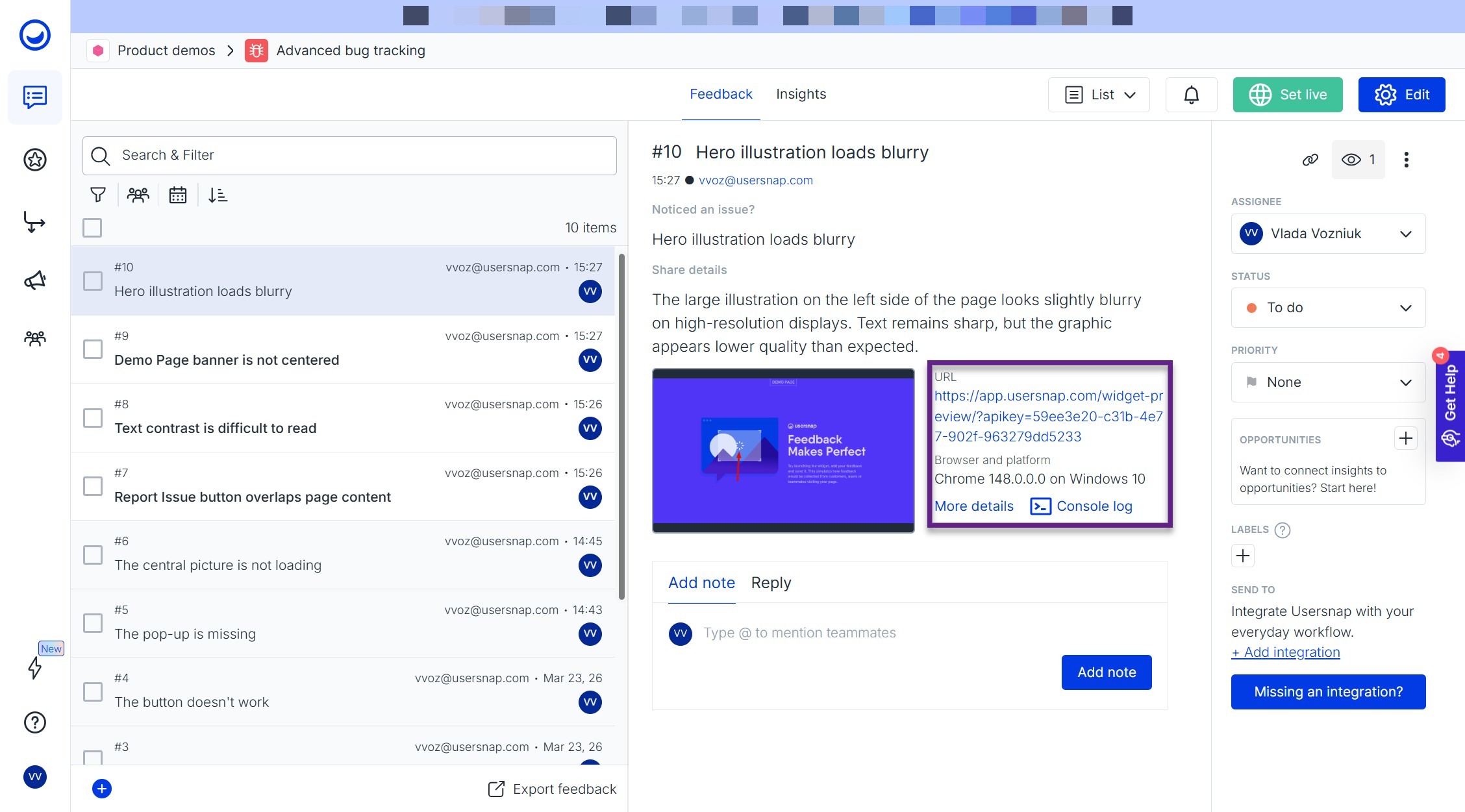
Every efficient debugging process starts with important information. Usersnap helps developers eliminate back-and-forth communication by collecting the technical details required to reproduce and resolve issues.
1.1 Bug reporting
Use bug reporting widgets with:
- Screenshot annotation
- Screen recording
- File attachments
- Browser and device metadata
- User and custom data via API
- Console log recording
Example:
A customer reports that a checkout page crashes during payment → Your team receives an annotated screenshot, a screen recording, browser details, console errors, and the customer’s account type. Troubleshooting starts immediately instead of requiring multiple follow-up messages.
Recommended templates:
- Fast bug tracking
- Issue reporting
- Advanced bug tracking
1.2 QA and user testing
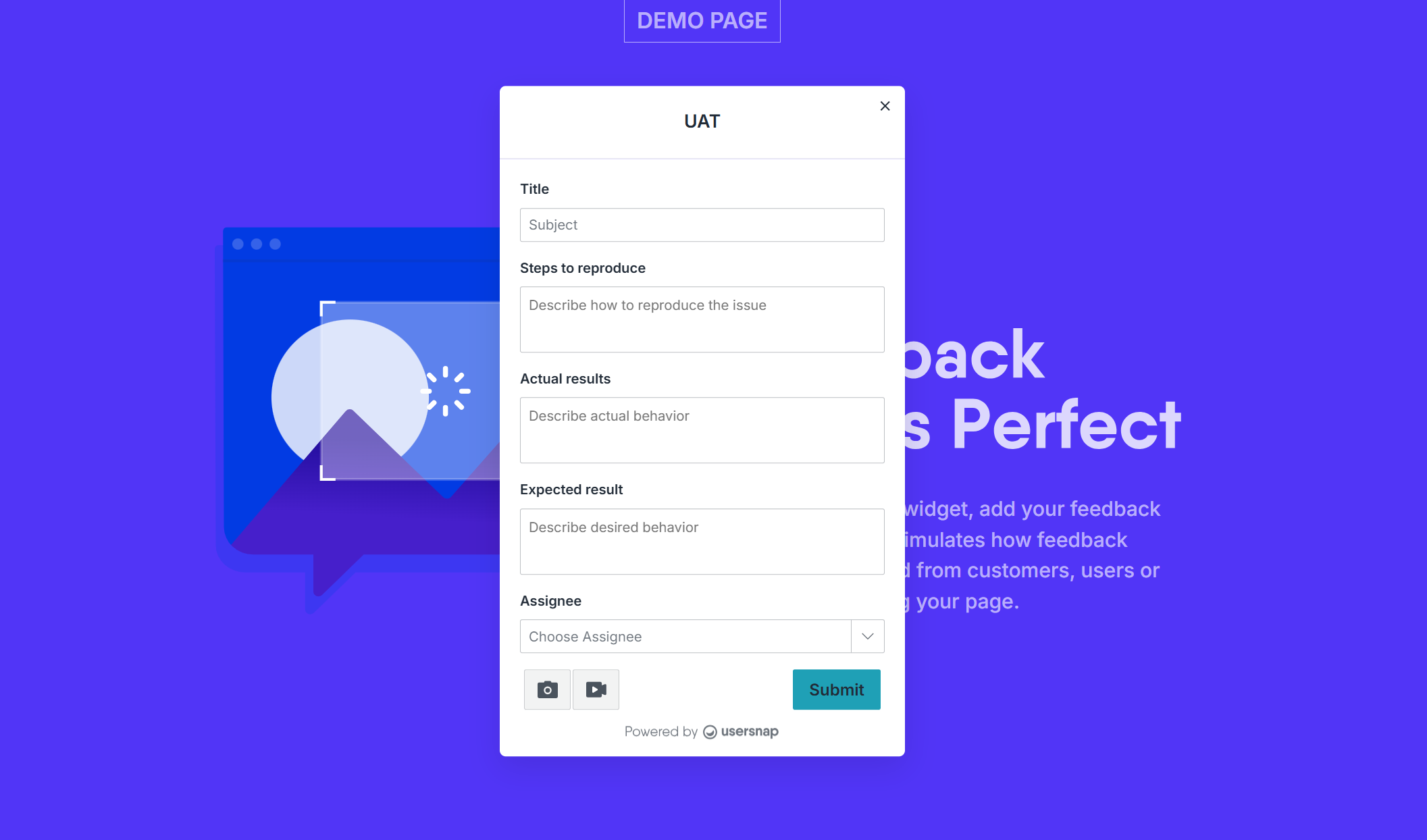
Usersnap provides structured forms for internal QA teams, beta testers, and external stakeholders.
Useful building blocks include:
- Required fields
- Labels
- Assignees
- Screenshot tools
- Screen recordings
- Multiple-choice questions
- Multi-page surveys
Example:
During a beta release, testers submit issues directly through Usersnap → Every submission is automatically assigned to the responsible engineer and tagged with the appropriate release version.
Recommended templates:
- Beta QA
- Acceptance testing (UAT)
- Fast bug tracking
1.3 Pre-fill contextual information
To reduce manual work, developers can pre-fill widgets with:
- Tester email addresses
- Labels
- Assignees
- Release versions
- Environment information
This ensures every feedback item enters the system already categorized and ready for triage.
2. Enrich reports with technical data
Finding the root cause of an issue often requires more than screenshots alone.
Usersnap helps engineering teams collect the technical context necessary to reproduce bugs accurately.
2.1 Pass custom data via API
Attach contextual information such as:
- Customer plan
- User role
- Account ID
- Feature flags
- Application version
- Environment type
Example:
When a bug is reported, Usersnap automatically attaches the user’s subscription plan, application version, and active feature flags, helping developers identify whether the issue is tied to a specific rollout.
2.2 Capture console log errors
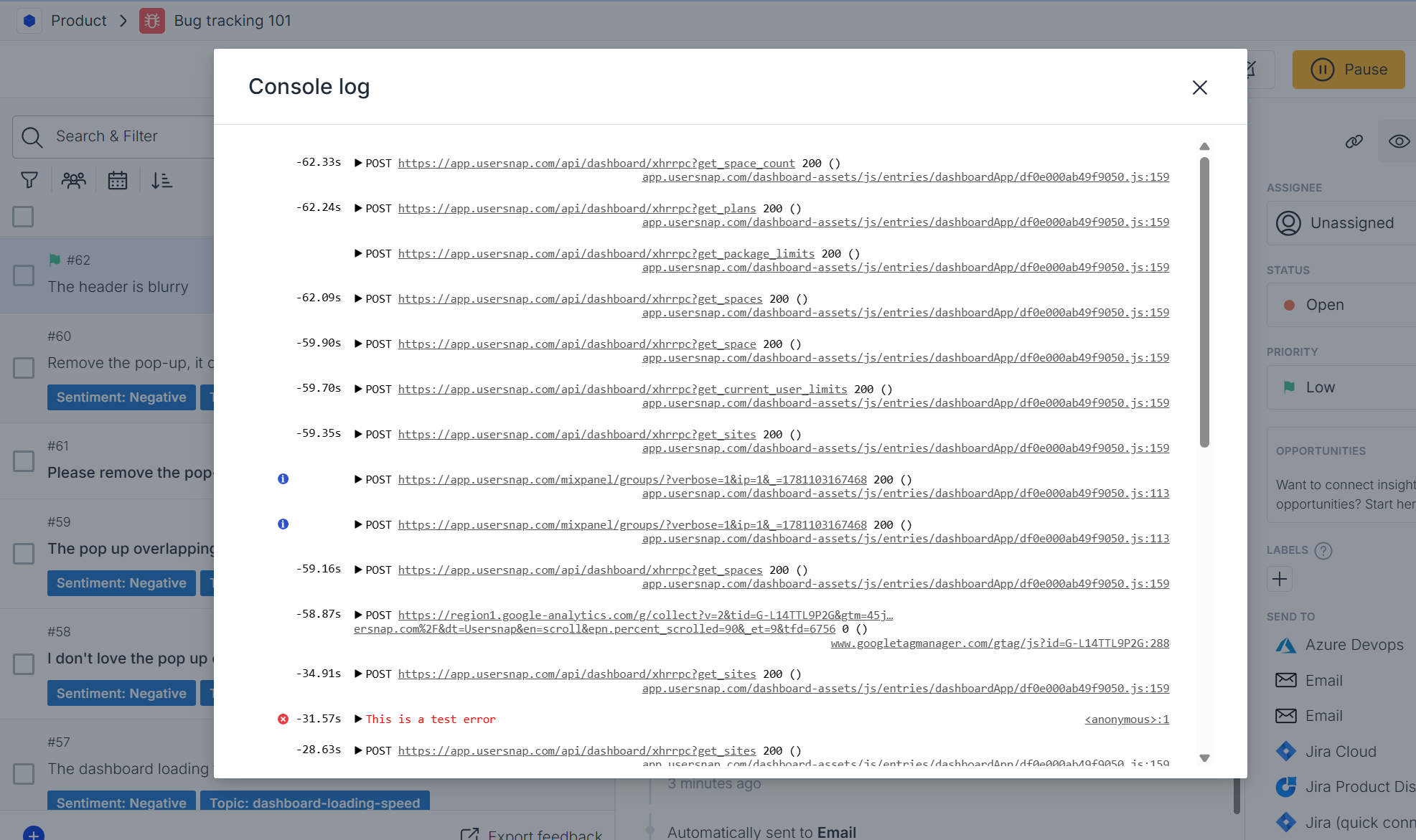
For web applications, Usersnap can automatically collect console errors and attach them to feedback submissions.
Benefits include:
- Faster debugging
- Reduced reproduction effort
- More complete engineering tickets
3. Organize and prioritize engineering work
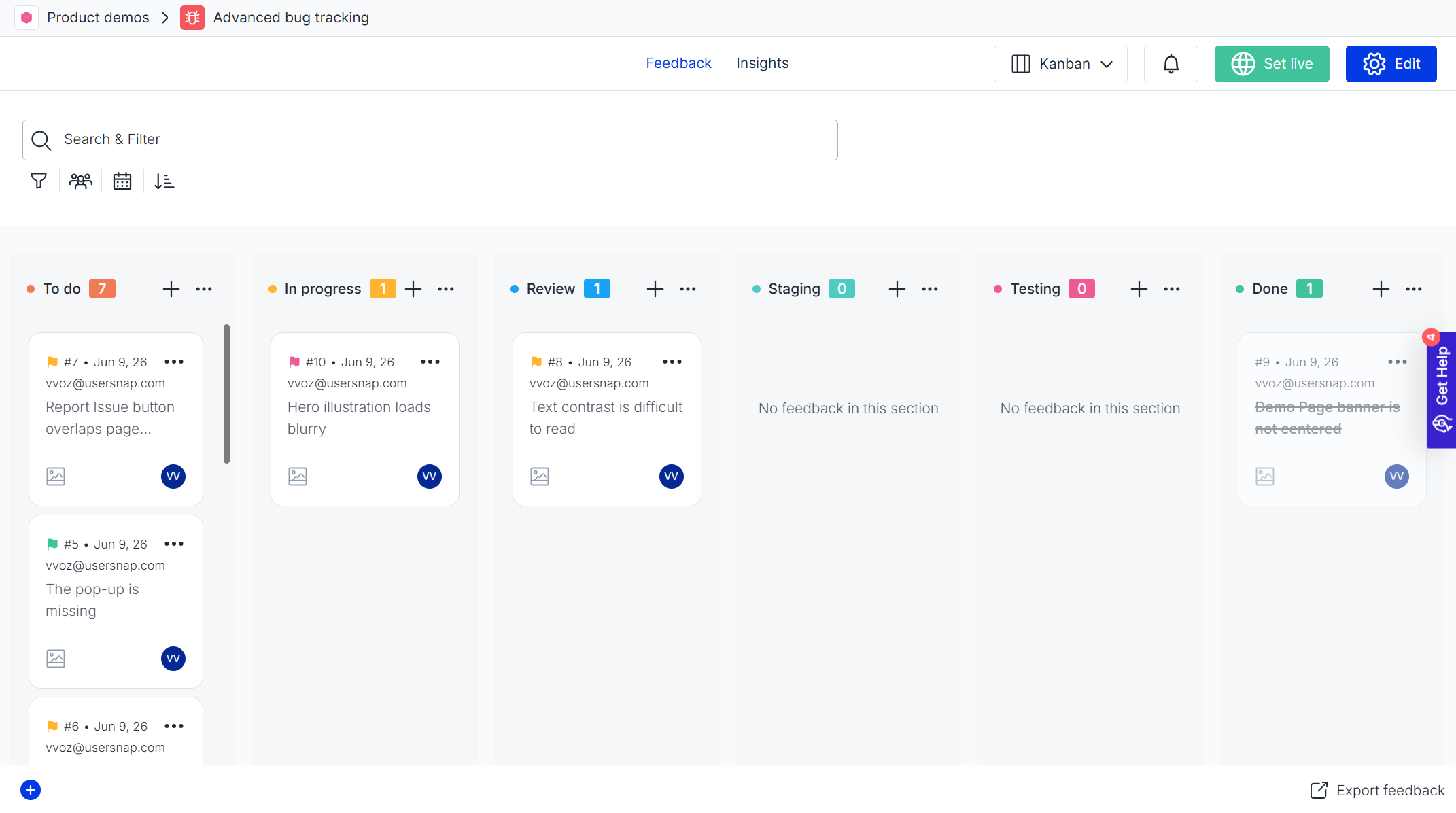
Once reports start coming in, development teams need a structured way to manage and prioritize incoming work. Usersnap’s centralized dashboard helps teams:
- Organize feedback with labels
- Track progress using statuses
- Create custom workflows
- Prioritize issues
- Manage workloads through either list view or a Kanban board (recommended)
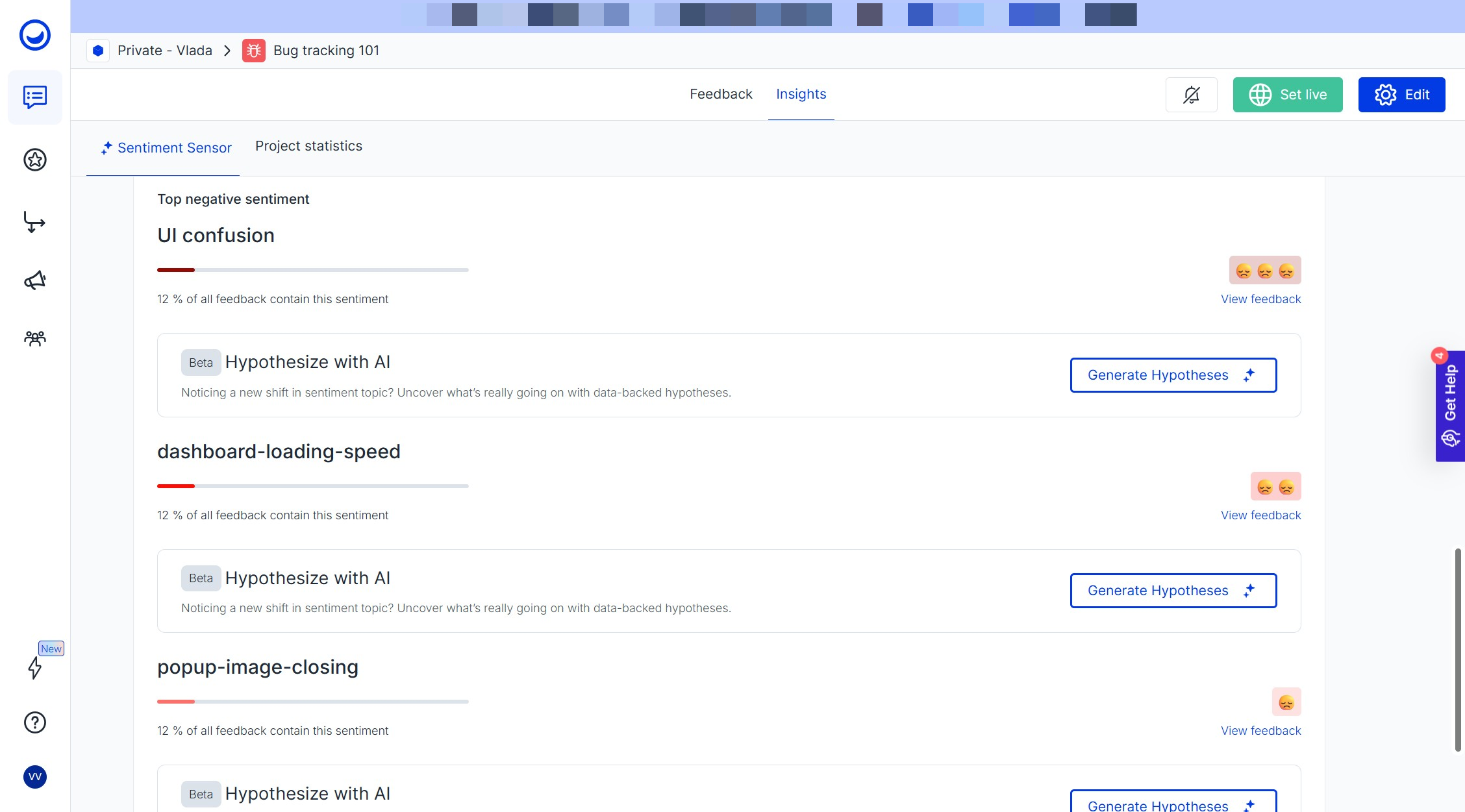
Identify recurring technical issues with Sentiment Sensor
As feedback volume grows, it becomes harder to spot which technical issues are affecting users most. Sentiment Sensor automatically analyzes incoming feedback, groups similar issues into Topics, and highlights the most frequently mentioned pain points. Instead of reviewing hundreds of individual bug reports, developers can quickly identify most common patterns such as slow application performance, checkout failures, etc.
Example:
Twenty users submit different reports about a "slow dashboard." *→**Sentiment Sensor groups them into a single performance-related topic, helping the engineering team understand the scale and urgency of the problem.
4. Collaborate across teams and stakeholders
Software delivery often involves people outside the engineering team.
Usersnap makes collaboration easier by connecting developers with customers, QA teams, product managers, agencies, and external stakeholders.
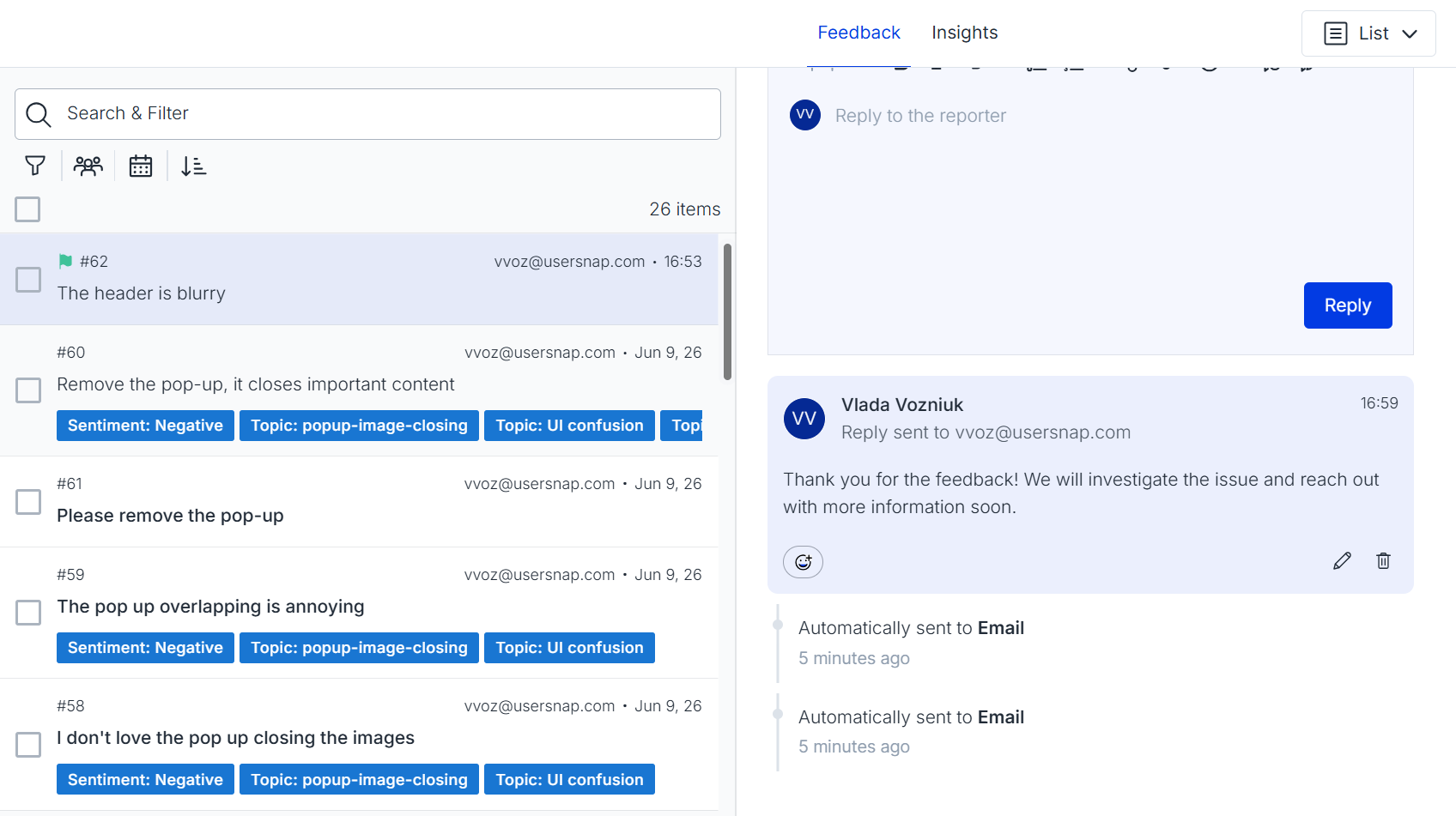
4.1 Reply directly to feedback submitters
Use in-dashboard replies to request additional information, share progress updates and notify users when issues are resolved.
4.2 Collaborate through Public Boards
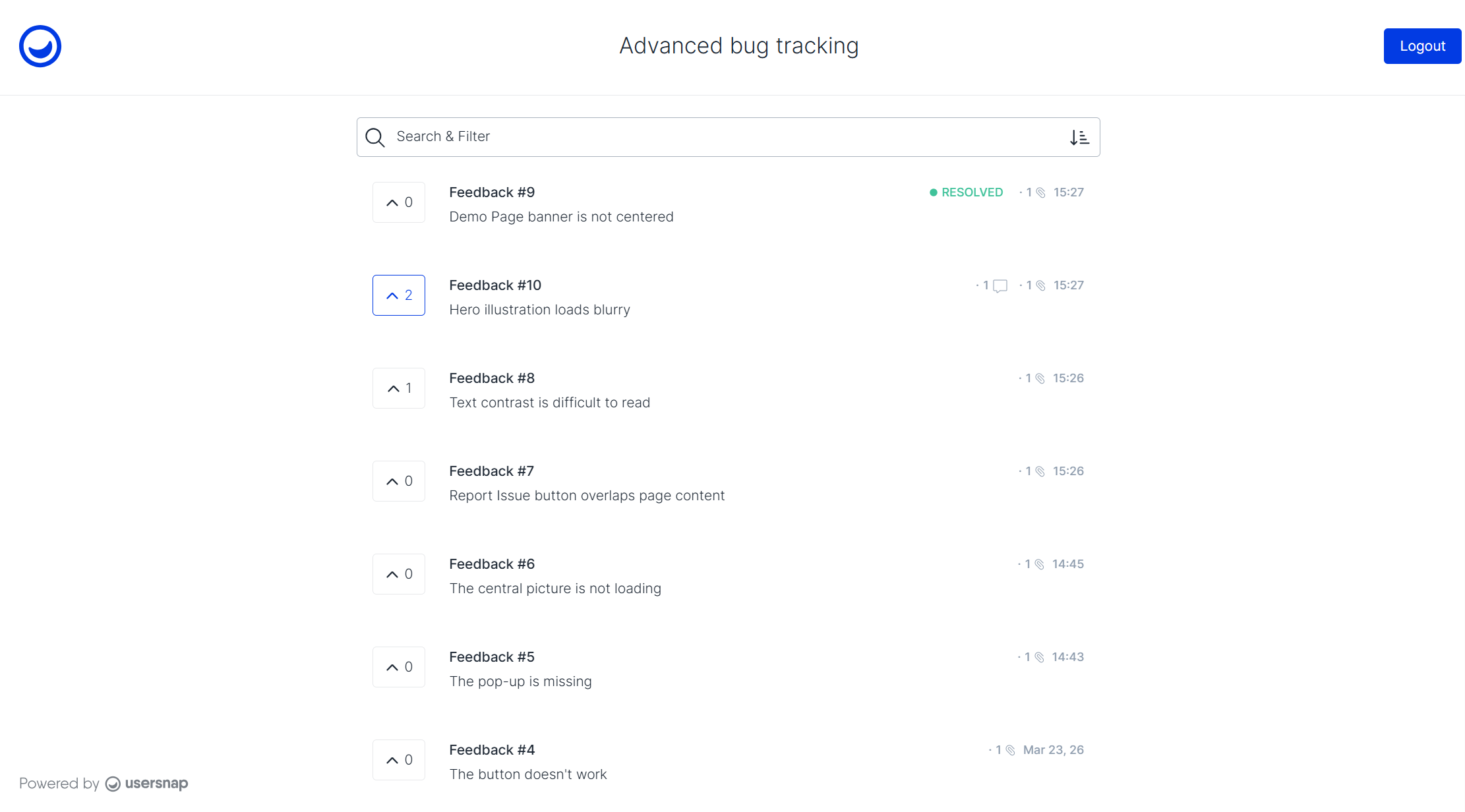
Usersnap’s Public board allows external participants to contribute feedback without requiring full platform access.
Use it to:
- Share project progress with clients
- Collect feedback from external testers
- Allow users to comment on issues
- Enable voting to highlight critical problems
Example:
An agency shares a Public board with a client during a website redesign projects → Stakeholders can review reported issues, comment directly on tickets, and track resolution progress without needing access to Usersnap or dev tools.
5. Connect Usersnap with your engineering stack
Development teams rarely work in a single tool. Usersnap integrates with engineering workflows so feedback automatically reaches the right systems.
Popular integrations include:
- Jira (two-way sync)
- Azure DevOps (two-way sync)
- Linear (two-way sync)
- GitHub
- Slack
- Microsoft Teams
- Zapier
- Webhook
Example:
A customer submits a critical bug report → Usersnap automatically creates a Jira ticket, attaches screenshots and metadata, and synchronizes status updates back to Usersnap.
Turn recurring issues into opportunities
Not every recurring issue should become another bug ticket. Sometimes feedback reveals a larger usability problem that requires strategic investment.
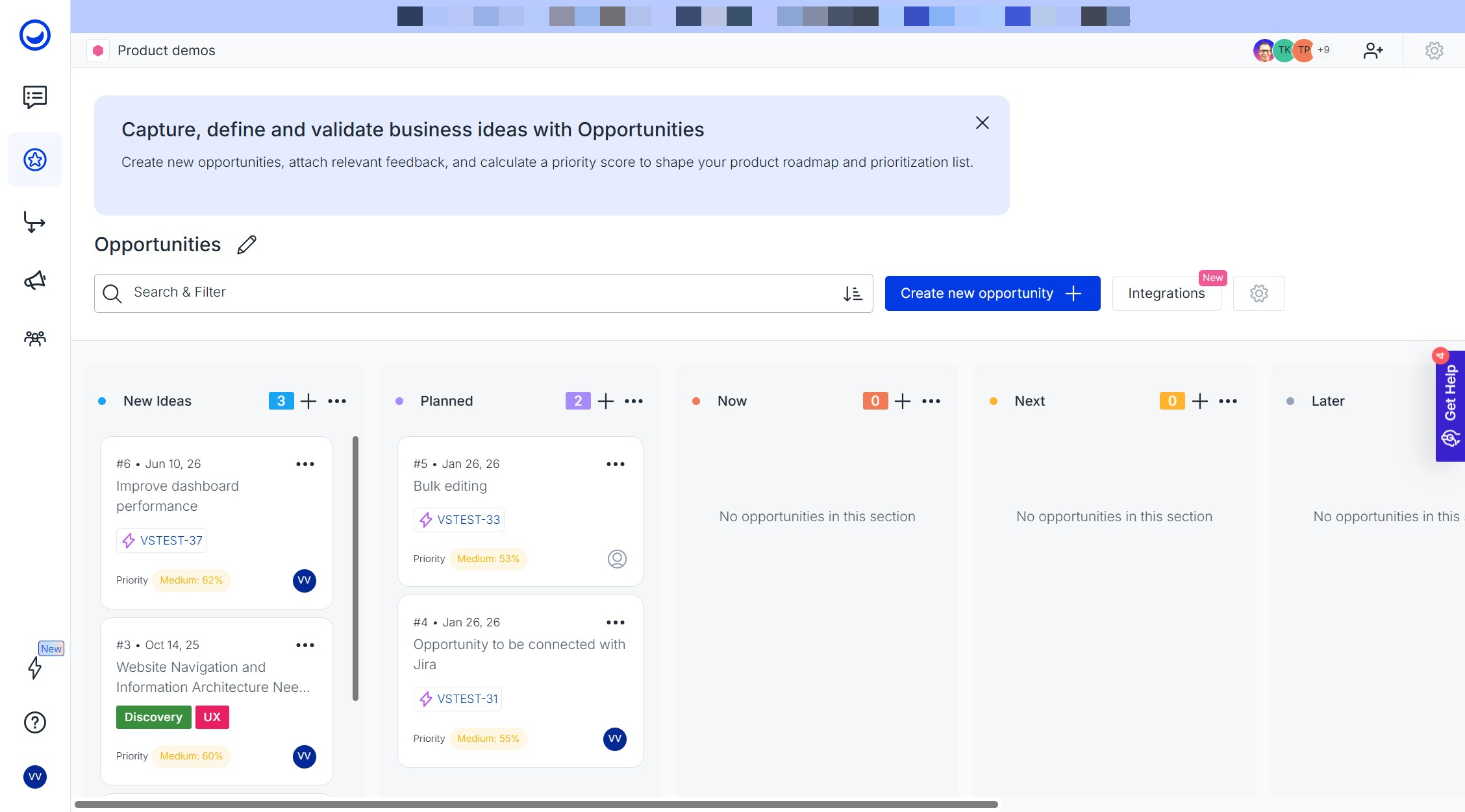
The Opportunities Board helps engineering and product teams collaborate on larger improvements by:
- Creating opportunities directly from feedback items
- Connecting technical evidence to customer impact
- Centralizing related bug reports and requests
- Prioritizing improvements by impact and effort Tracking initiatives through a Kanban workflow
Example:
Multiple bug reports reveal that users struggle with loading times in large projects. Instead of creating dozens of individual tickets, the team creates an opportunity called Improve dashboard performance for enterprise accounts and links all supporting evidence to it.
6. Validate releases and measure success
Shipping code is not the end of the process. The final step is validating whether issues were resolved and whether users are satisfied with the outcome.
6.1 Collect release feedback
After deploying a fix or new feature, use feedback widgets to gather immediate user reactions.
Recommended templates:
- Feature satisfaction
- Feature release feedback
- User satisfaction (CSAT)
- Customer effort score (CES)
Example:
After fixing a recurring checkout issue, show a short satisfaction survey asking users whether the payment process now works as expected.
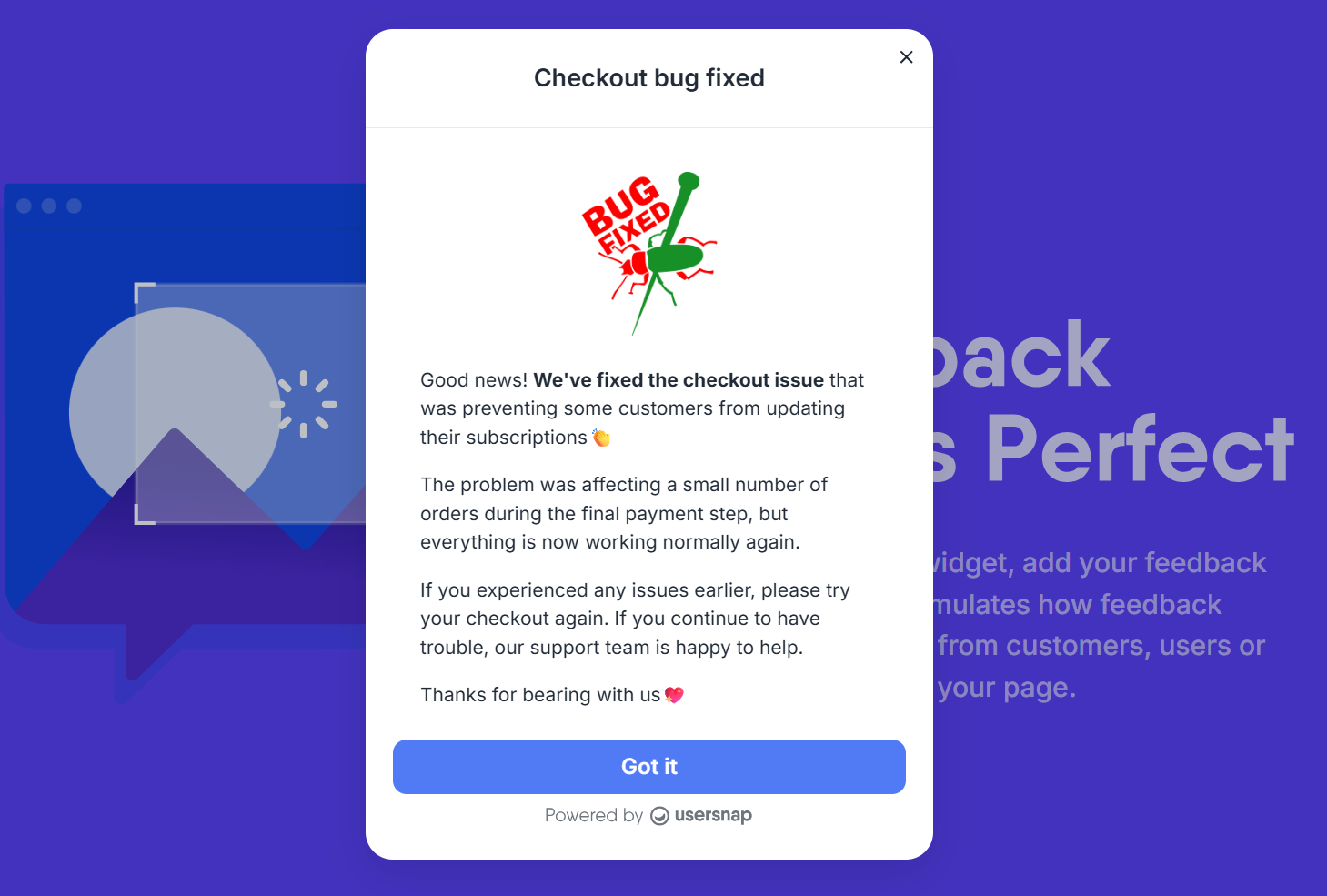
6.2 Announce releases and improvements
Use Announcements and Changelog entries to communicate:
- Bug fixes
- Performance improvements
- New releases
- Beta programs
- Testing invitations
This helps close the feedback loop and shows users their reports are being acted upon.
When should development teams set up Usersnap?
Most engineering teams implement Usersnap for one of four scenarios:
- Bug reporting workflows. Replace incomplete tickets with visual bug reports and technical diagnostics.
- QA and testing programs. Collect structured feedback from internal QA teams and beta testers.
- Engineering collaboration. Centralize communication between developers, product teams, clients, and external stakeholders.
- Release validation. Measure user satisfaction after deployments and verify that fixes resolved the original problem.
Common questions
Which integrations are available for engineering teams?
Usersnap integrates with popular engineering and project management tools including Jira, Azure DevOps, Linear, GitHub, Slack, Microsoft Teams, etc. and thousands of additional tools through Zapier or Webhook.
How can developers reduce bug reproduction time?
By collecting screenshots, recordings, technical metadata, custom API data, and console errors automatically, Usersnap provides much of the information developers typically need to request manually.
Can external clients and testers collaborate without full access?
Yes. Public Boards allow clients, testers, and stakeholders to submit feedback, comment on issues, and follow progress without requiring full dashboard access.
Does Usersnap support mobile applications?
Yes. Teams on eligible plans can use the Mobile SDK to collect feedback, surveys, ratings, feature requests, and technical metadata directly from mobile applications.
Which AI features does Usersnap offer?
Usersnap's AI features include Sentiment Sensor, AI-powered Topics (auto-clustering), Hypothesis Generator, Solution Generator, Alloy prototyping, as well as Channels, the data ingestion tool that turns raw customer conversations from call and support tools into structured product discovery insights.
To use the Sentiment Sensor with all related features (Topics, Hypothesis Generator, Solution Generator and Alloy prototypine), you need to opt-in in the Insights section. Channels is available automatically on eligible accounts, but no customer data is collected until you connect and configure a data source. See the pricing page for current plan-level availability.
Related guides for development teams
- Usersnap global snippet and installation guides
- Custom data
- User identification
- REST API
- Mobile SDK
- Sister role guides: Usersnap for Product Managers, Usersnap for CS teams, Usersnap for Marketing teams
- Usersnap pricing and plans
- Development FAQ
Turn bug reports into faster fixes and more reliable releases.
Start free with the first 20 feedback items, with no time limit and no credit card required.
Updated 4 months ago