
Channels data ingestion
For product teams who need to make continuous, evidence-based decisions, Usersnap Channels turns fragmented customer conversations into structured, actionable product discovery input.
What are channels?
Channels turn raw customer conversations into structured product discovery insights — directly inside your feedback workflow.
Channels ingests customer conversation data from calls, interviews, support tools, and other sources, and automatically transforms it into structured, discovery-ready insights. Pain points, themes, and ideas are identified and normalized so teams can move from scattered feedback to clear opportunities.
How to set up a channel?
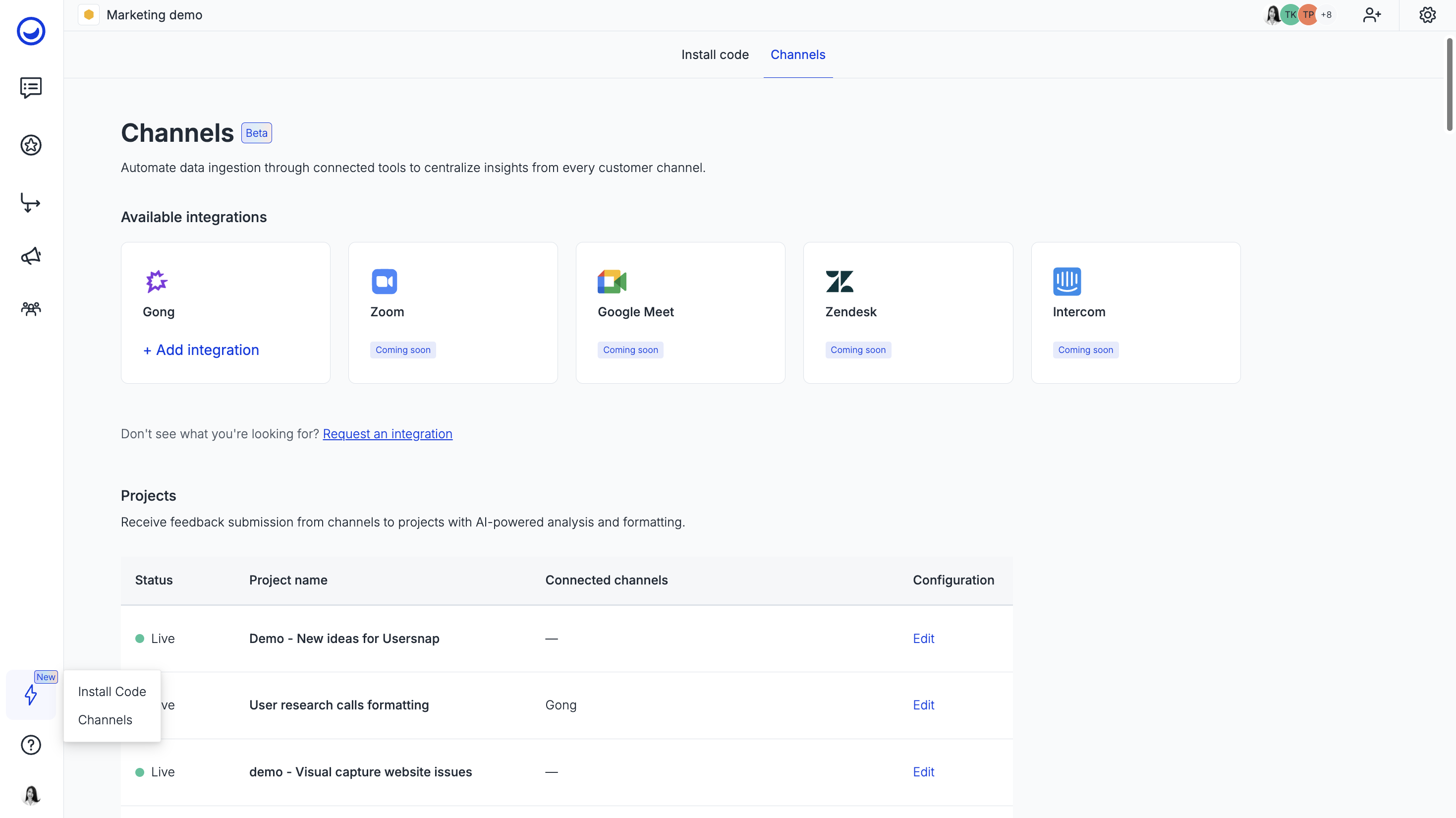
- Navigate to the left-side panel of your dashboard and find a power lightning icon. Choose Channels and click on the integration you are interested in (we'll use Gong as an example):
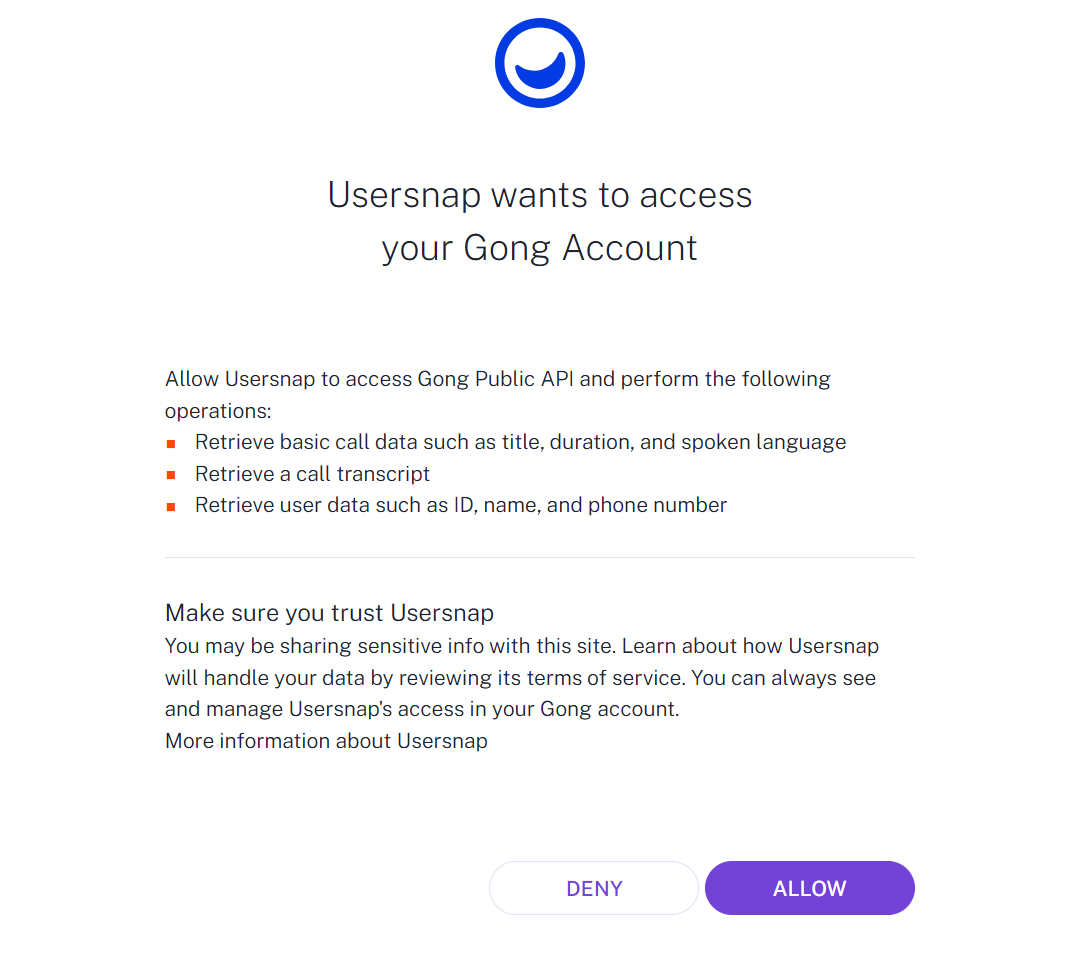
- Allow Usersnap to access your account (make sure you are signed in to Gong first):
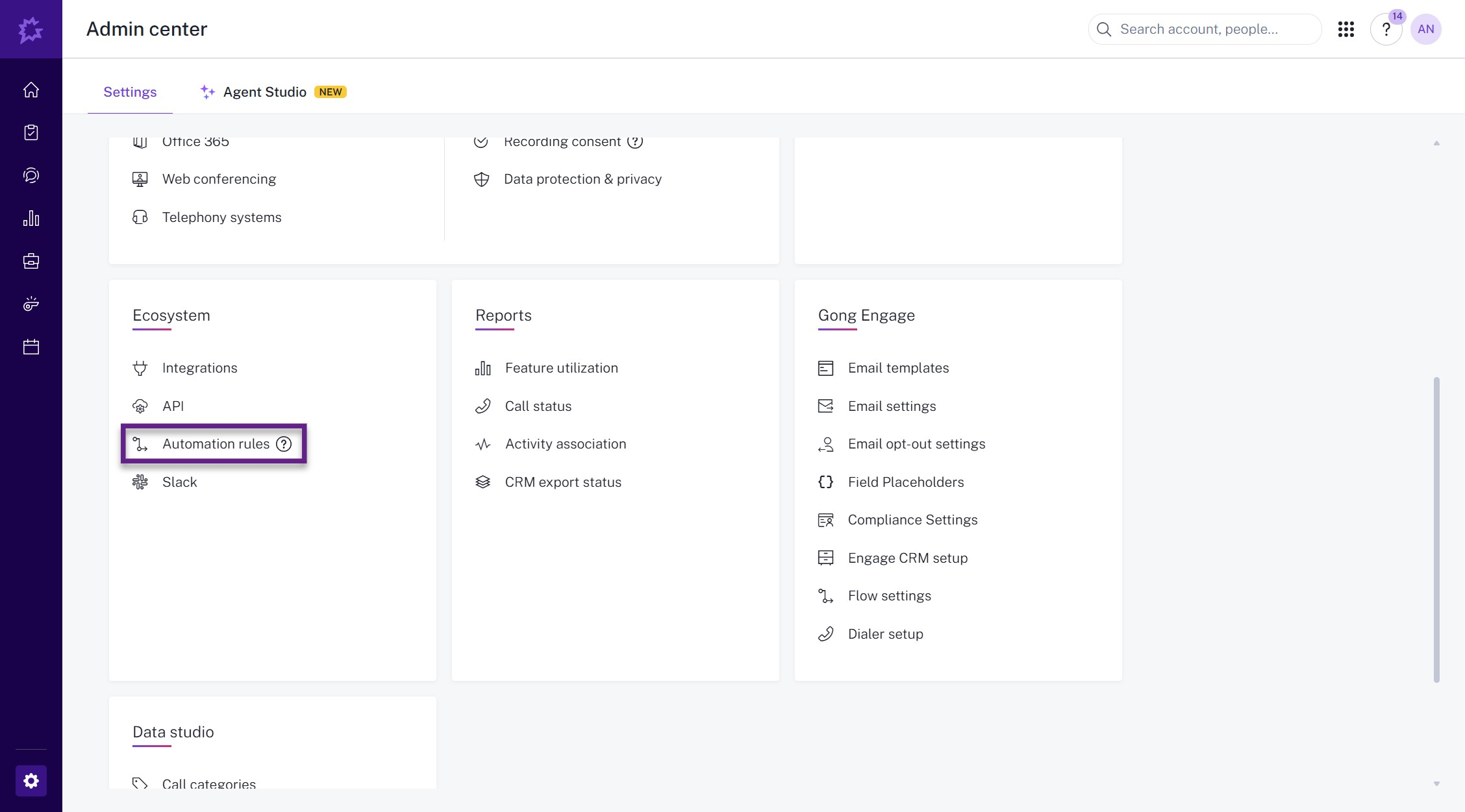
- Go to Admin center>Automation rules in Gong:
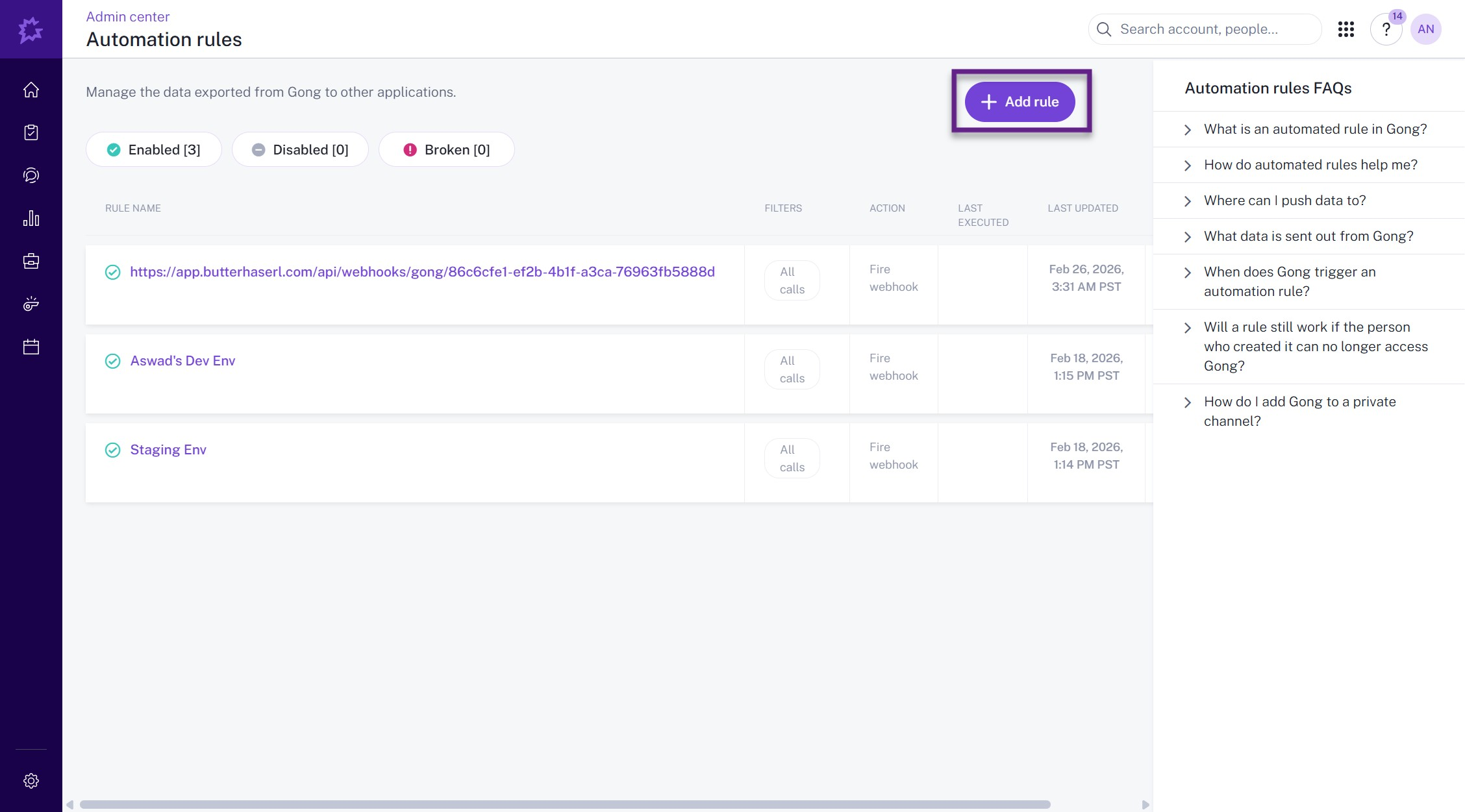
- Click on "Add rule"
- Copy the Webhook URL from Usersnap's dashboard and paste it to the relevant field in Gong:
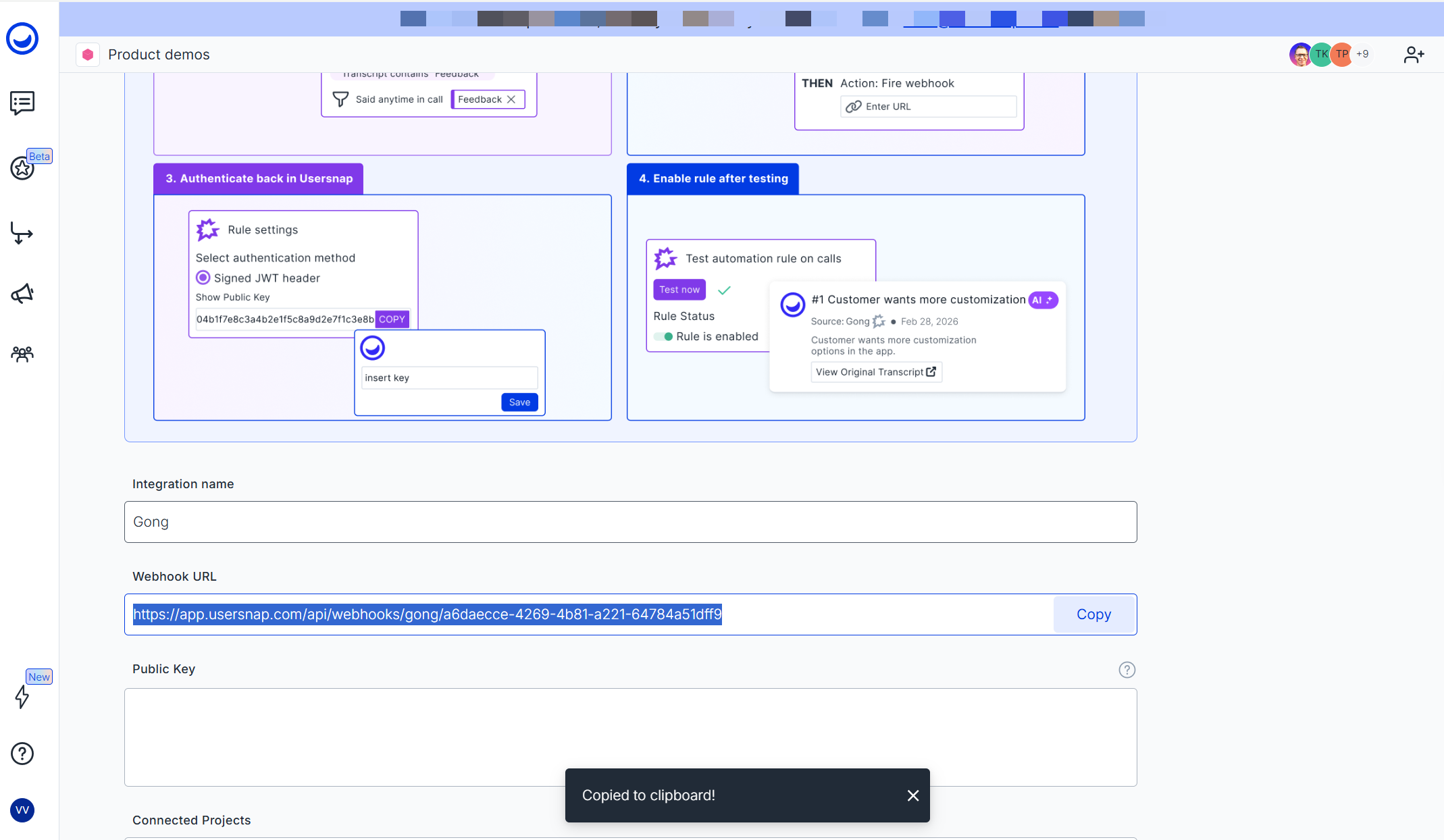
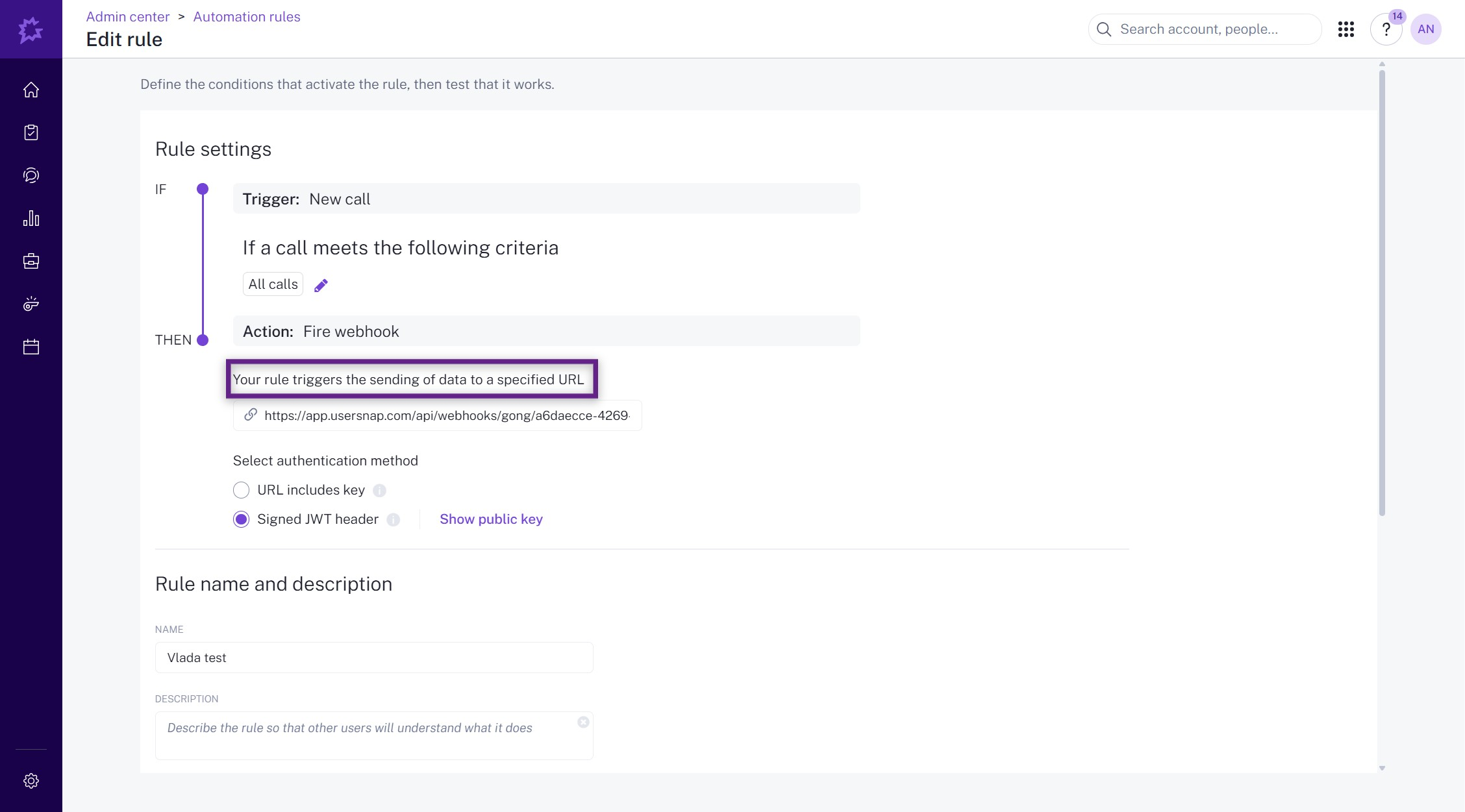
- Now, authenticate Gong in Usersnap by copying the public key and pasting it in the relevant field in Usersnap:
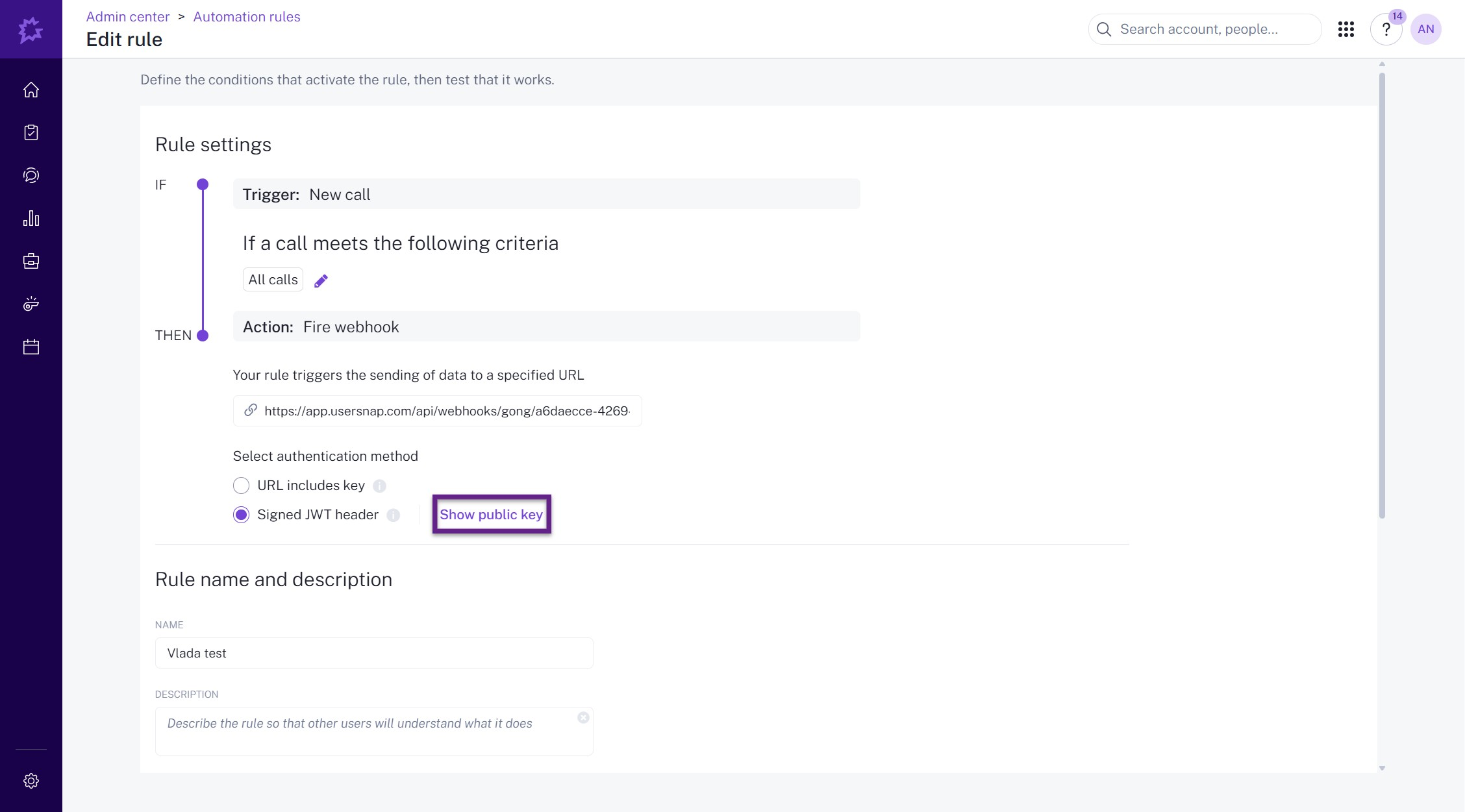
- Define which calls should be sent to Usersnap:
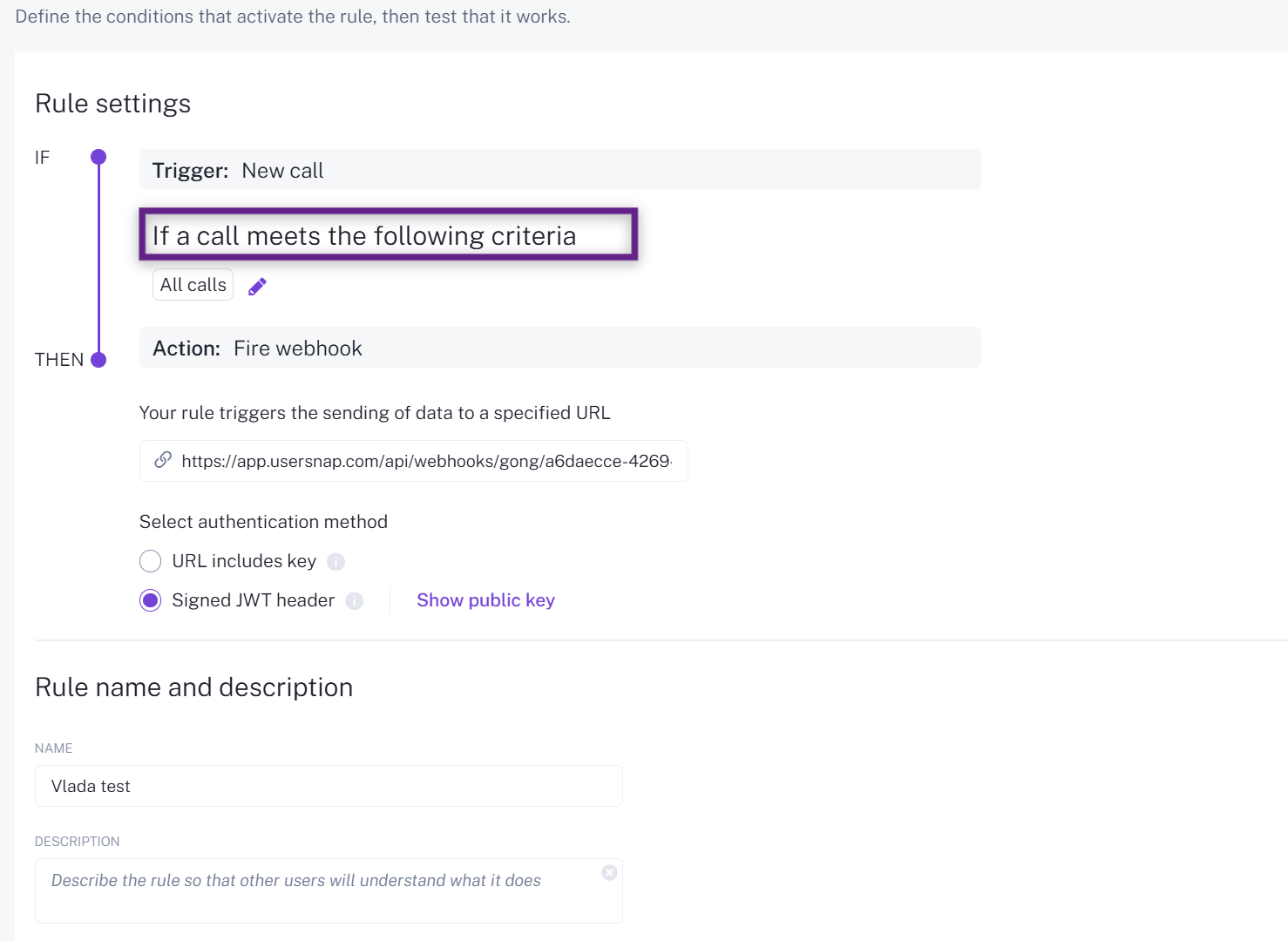
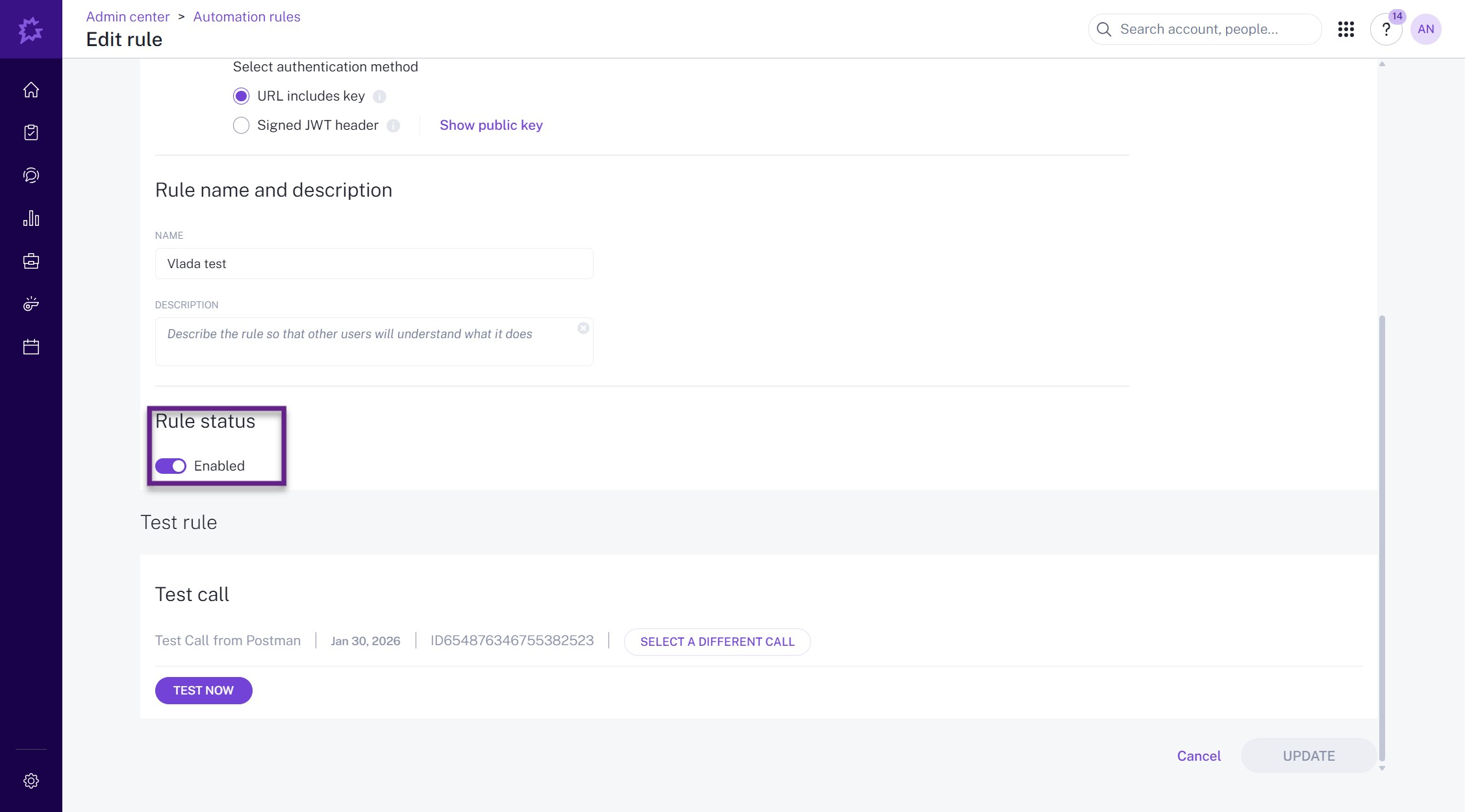
- Finally, test and enable the rule in Gong:
Connecting projects to Channels
Connection limitations
Please note that currently each Channel integration can be connected with up to 3 projects.
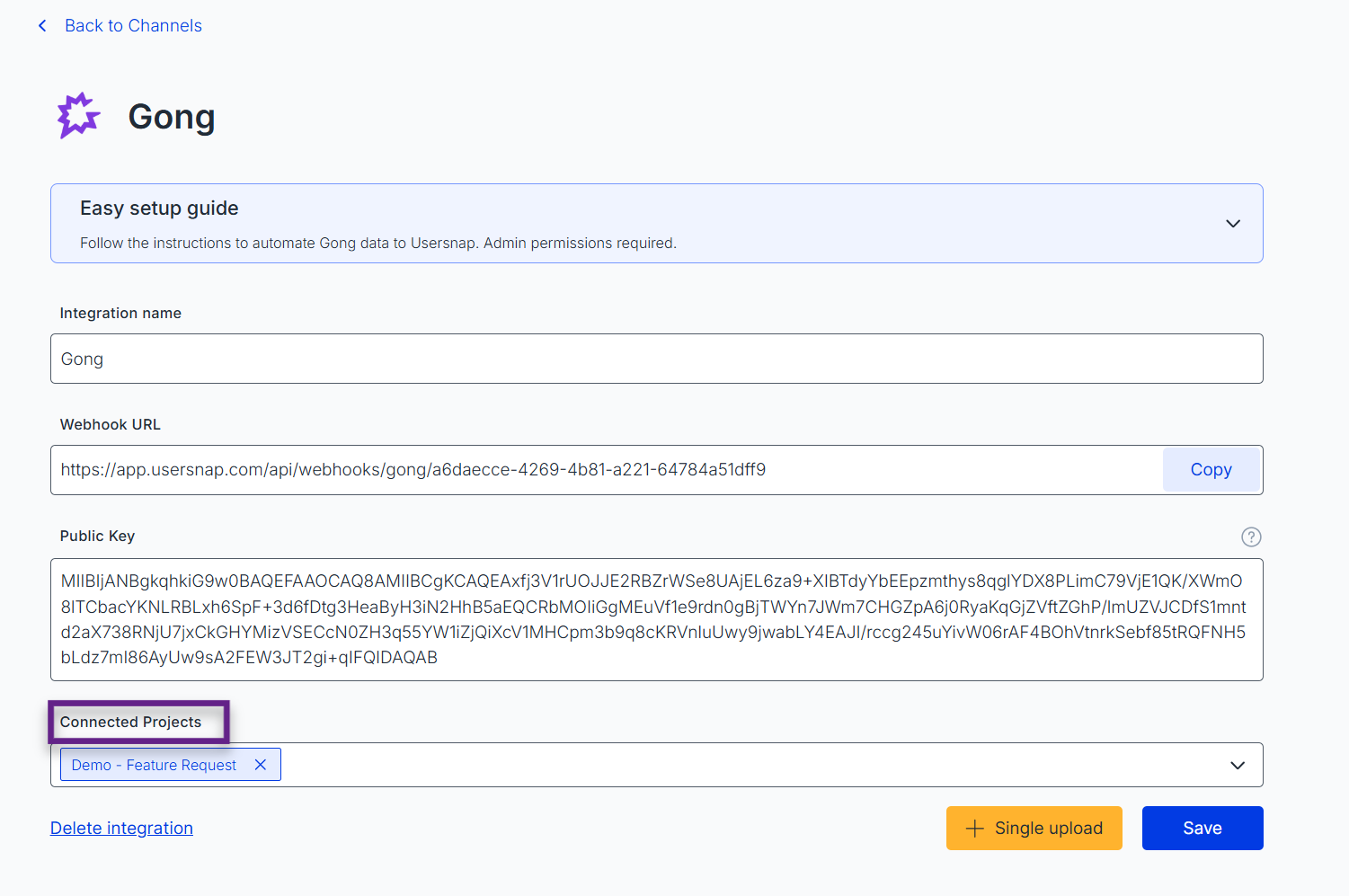
To connect a project to a Channel, go to the Connected Projects section of Channels configuration and choose the projects you would like to connect:
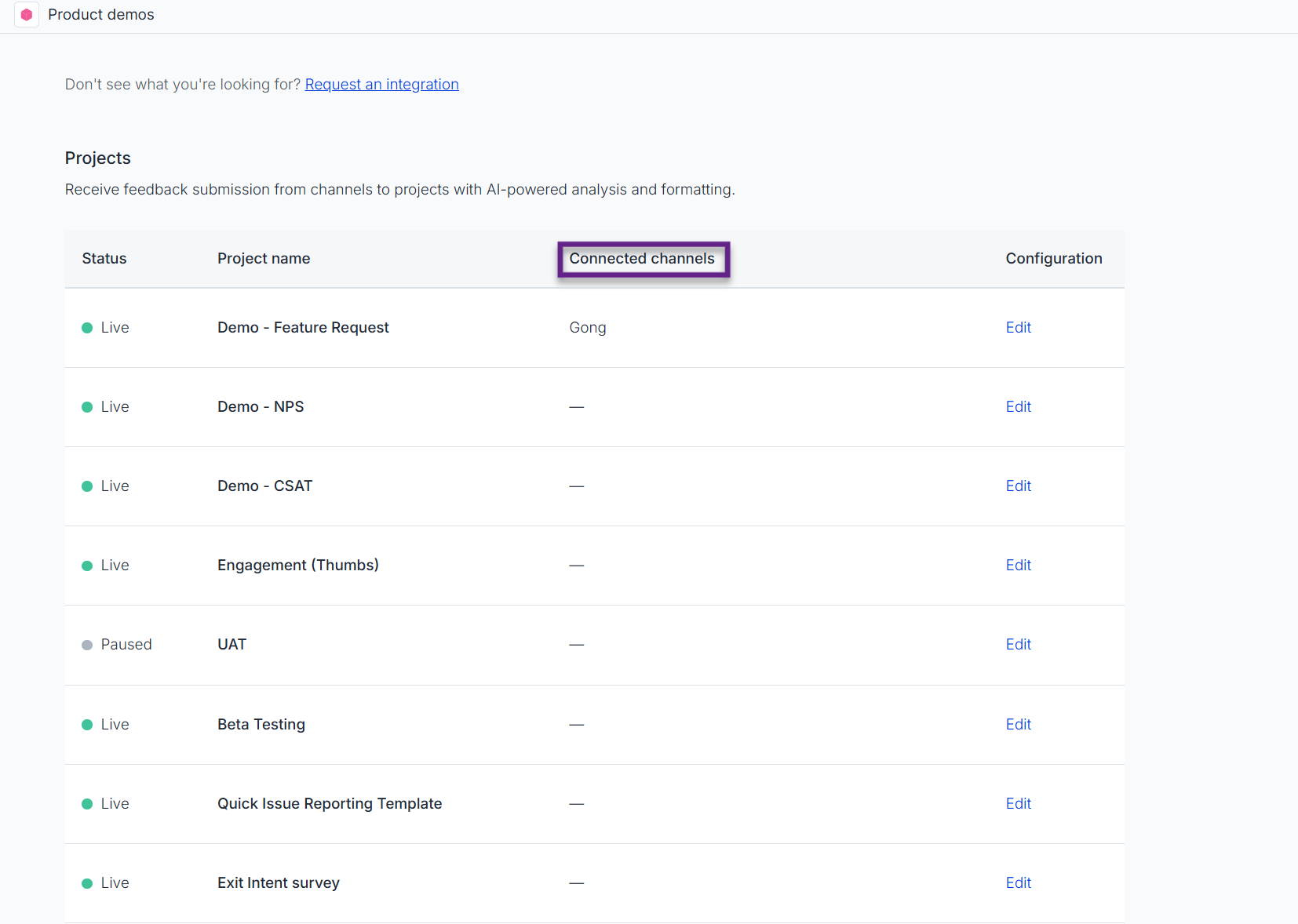
You can also view an overview of all projects within a space and see which channels they are connected to in the Channels tab:
Request a channel
If you don't see a channel you would like to connect with Usersnap yet, you can submit a request for it here.
Updated 6 months ago