
MCP connector
The MCP Connector lets AI assistants like ChatGPT, Claude, and Cursor query your live Usersnap workspace, so you can ask questions about customer feedback in natural language and get answers grounded in your actual Usersnap data. When the AI uncovers something important, it can also create an Opportunity in Usersnap automatically, so your team can act on it.
Think of this as giving your AI assistant a read-and-write pass into your Usersnap account — limited
to exactly what you're already allowed to see. Once connected, you can talk to it the way you'd
brief a colleague:
“What are customers complaining about in the checkout flow?” … “Pull together the feedback
about that and draft an opportunity.”
Let's look at the safeguards we created as welll as the setup using the example of Claude:
The safeguards we've built in
- Data privacy
Claude only ever sees your data: it acts as you and respects the same permissions you
have in Usersnap. It cannot reach another company's feedback, and it never deletes or
edits raw feedback - Off unless deliberately switched on
Access is enabled per company and re-checked on every single request — not just at login. Turn the switch off and access stops immediately. - Personal emails are stripped out
Email addresses in feedback and opportunities are automatically removed before anything is handed to Claude, so reporter identities aren't exposed to the AI. - Your identity can't be faked
The “who's asking” stamp sent to our internal engine is generated only from a freshly verified login. Any copy a client tries to smuggle in is thrown away at the door. - The engine never faces the internet
The service that does the real work sits entirely behind Usersnap's own edge. Outside traffic can
only ever reach it through our authenticated front door. - Bank-grade sign-in
Login uses the modern OAuth 2.1 standard with PKCE, which blocks intercepted-login attacks, and only pre-vetted return destinations are ever allowed. - Hardened app onboarding
When a client app introduces itself, we only fetch its details from allowlisted addresses through a locked-down channel that refuses to touch internal or private networks. - Every write is logged & de-duplicated
Each opportunity created or feedback linked is recorded in an internal audit trail, and a repeated request won't quietly create a duplicate.
How to set it up
Accessing historical dataPlease note that the AI assistant will only has access to new data; to get your historical data indexed, please reach out to our Customer Success Team using this link.
First of all, make sure to use a Claude account that supports connectors (on the web (claude.ai) or the desktop app). Adding a custom connector is available on paid plans.
To set up an MCP connector, follow the following steps:
-
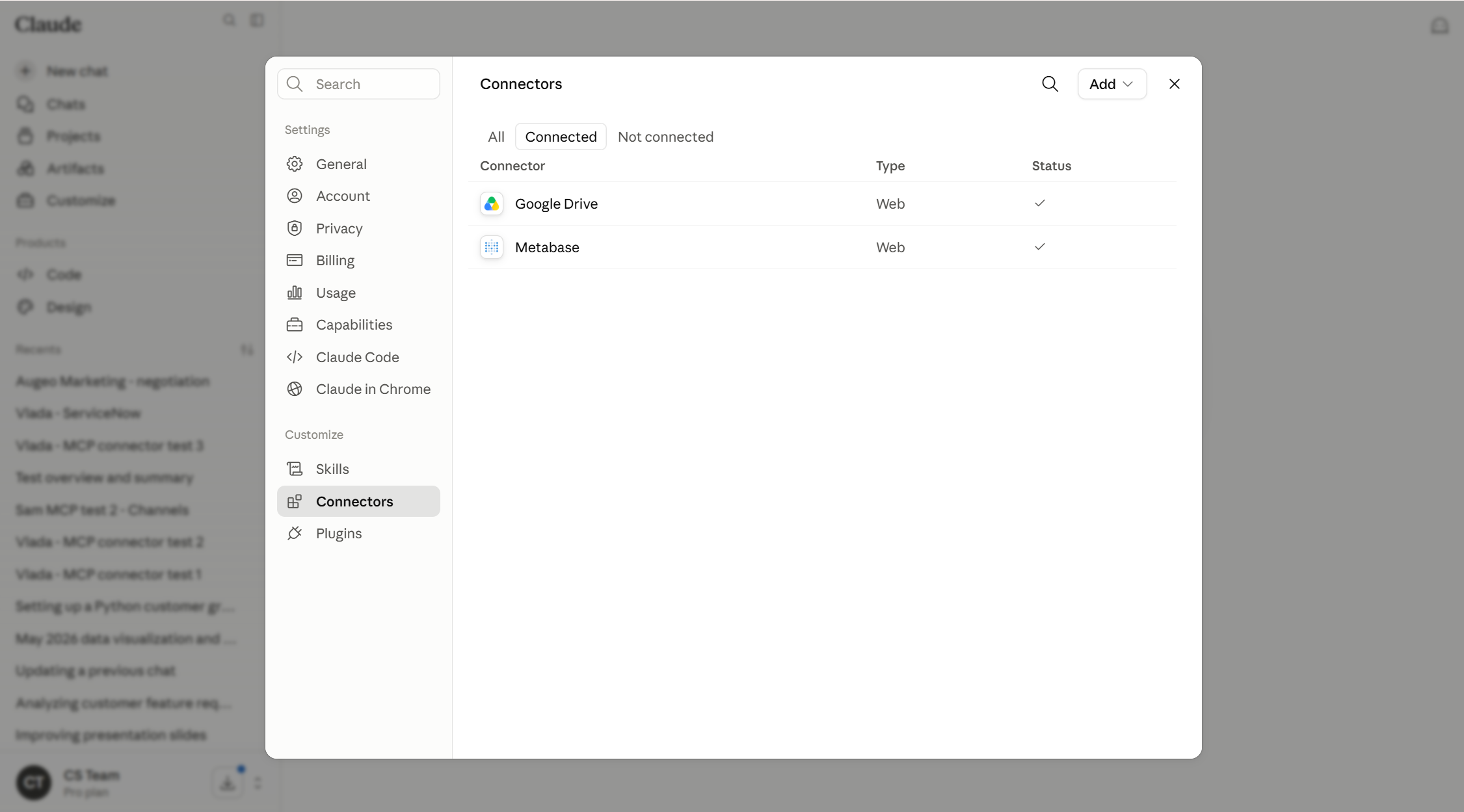
In claude.ai or the desktop app, go to Settings → Connectors:
-
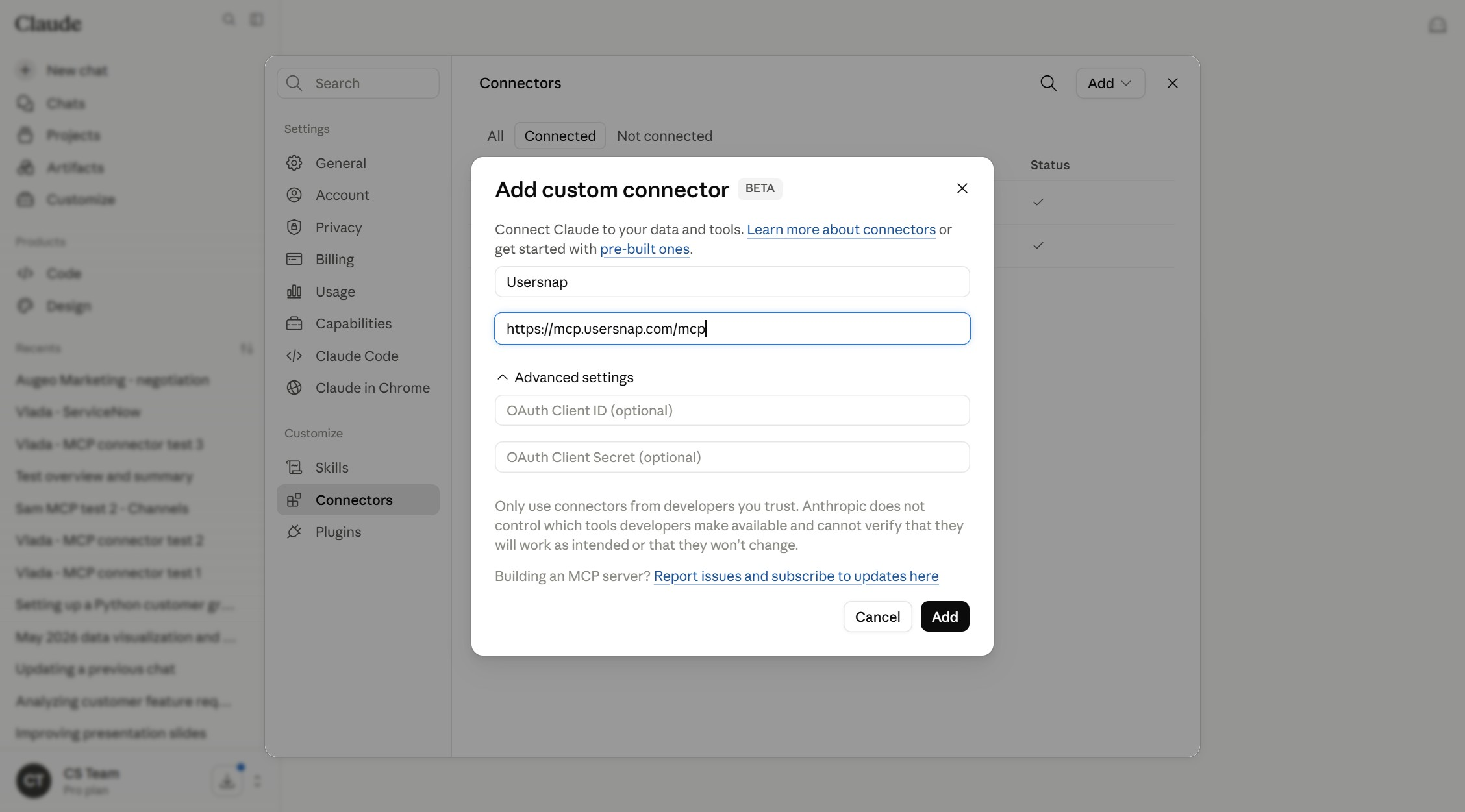
Click Add → Add custom connector and choose Usersnap. Then, paste all the required details (The MCP URL is https://mcp.usersnap.com/mcp):
-
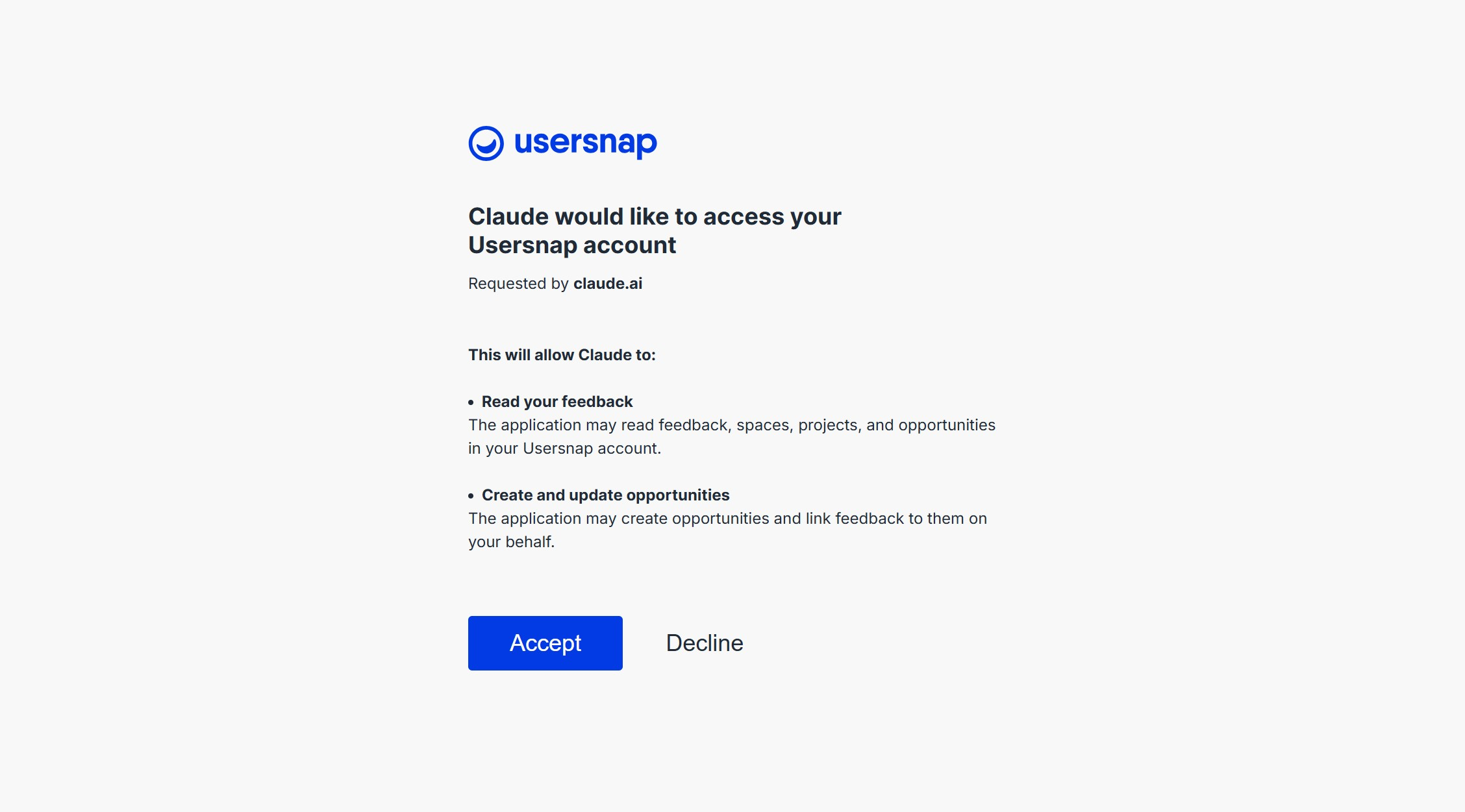
Sign in with Usersnap through the login window and approve the permissions:
-
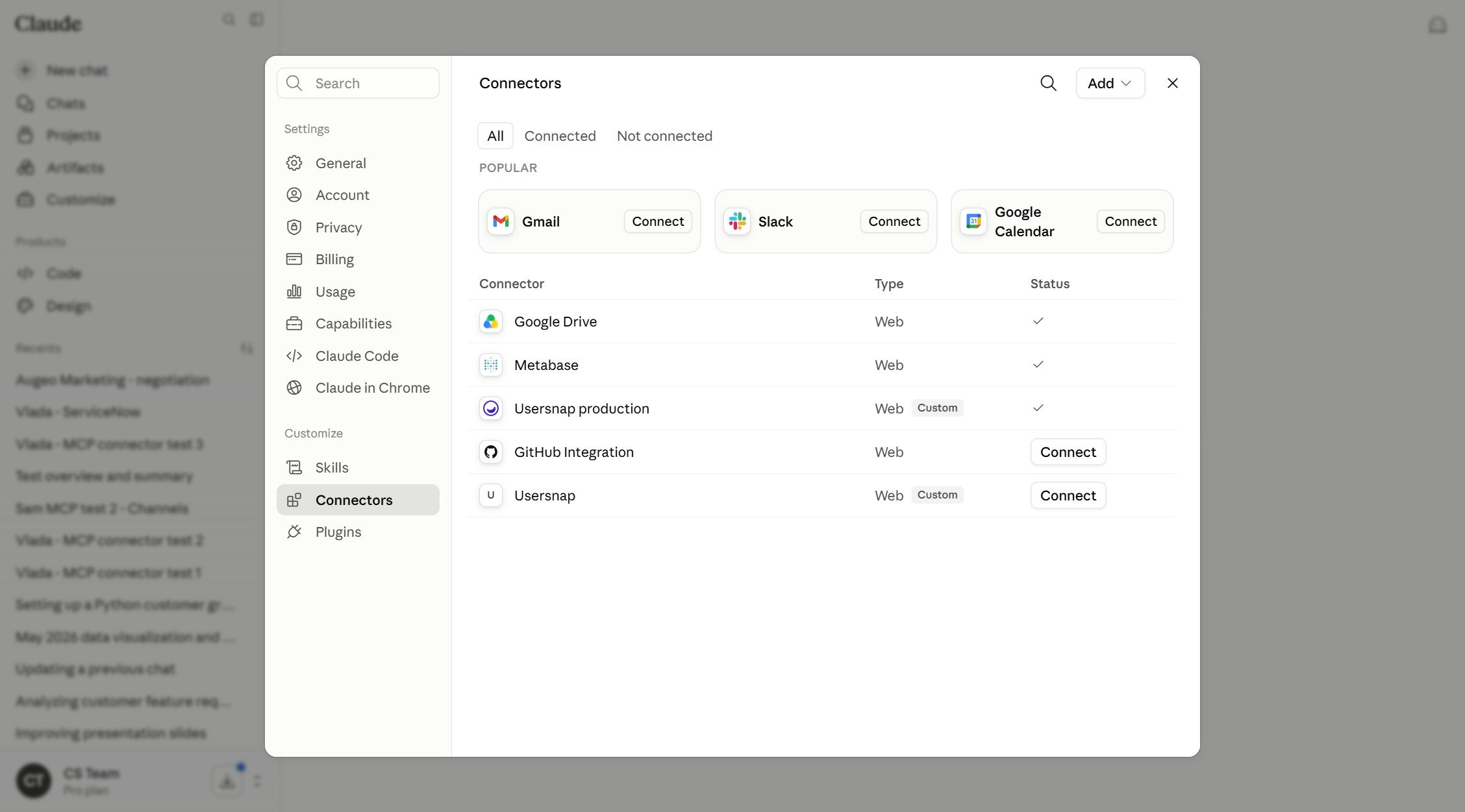
You should now see Usersnap in your connector list. Just start a new chat and work with Usersnap in Claude.
-
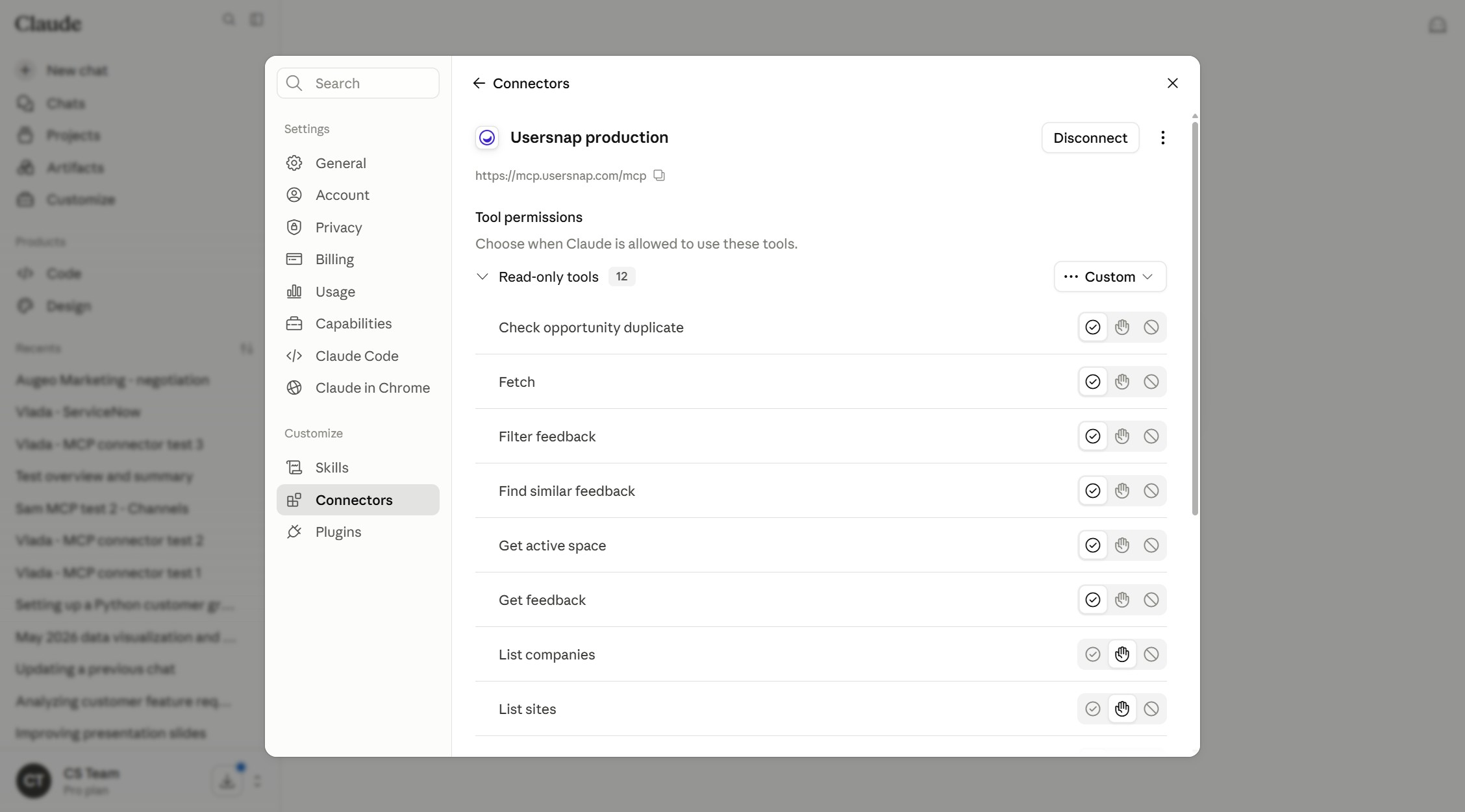
You can futher customize the permissions in the Tool permissions section of your connector:
What can the MCP connector do:
-
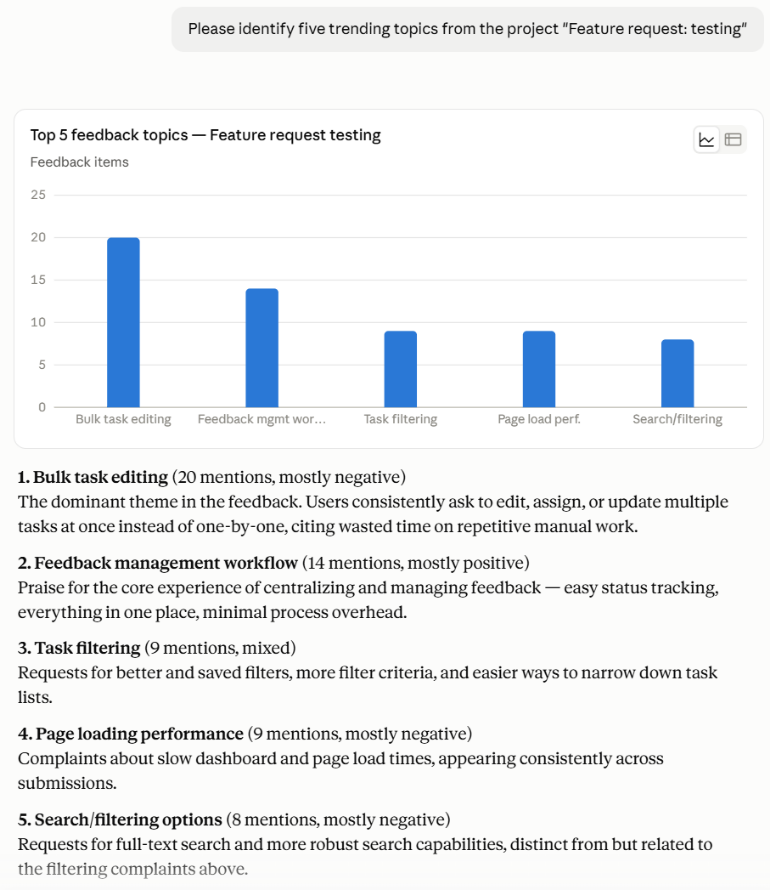
Answer a variety of queries about product evidence, content, and trends. For example, summarize the five most trending topics within a specific project or across multiple projects. Accuracy is highert when processing the feedback with Sentiment Sensor first:
-
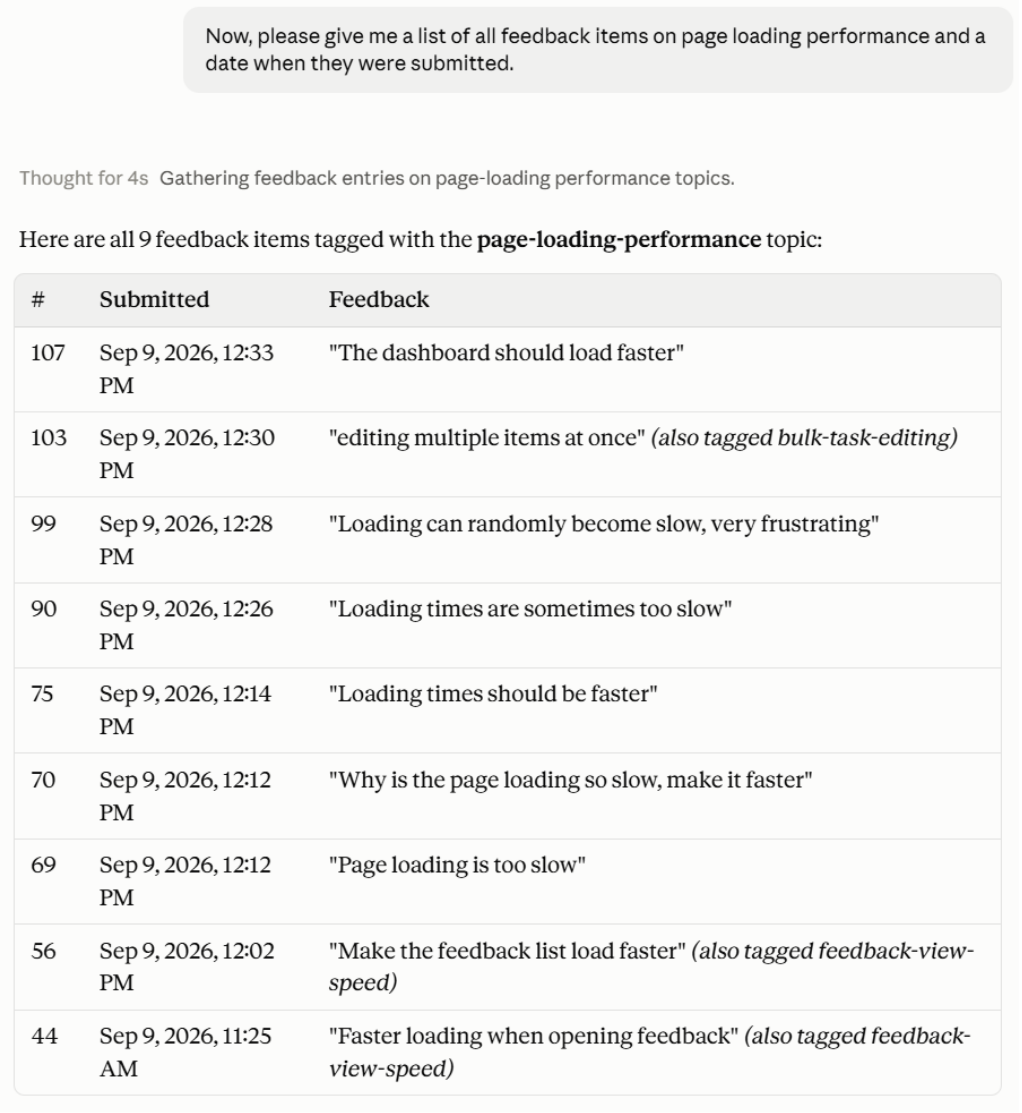
Offer the date and the content of specific items:
-
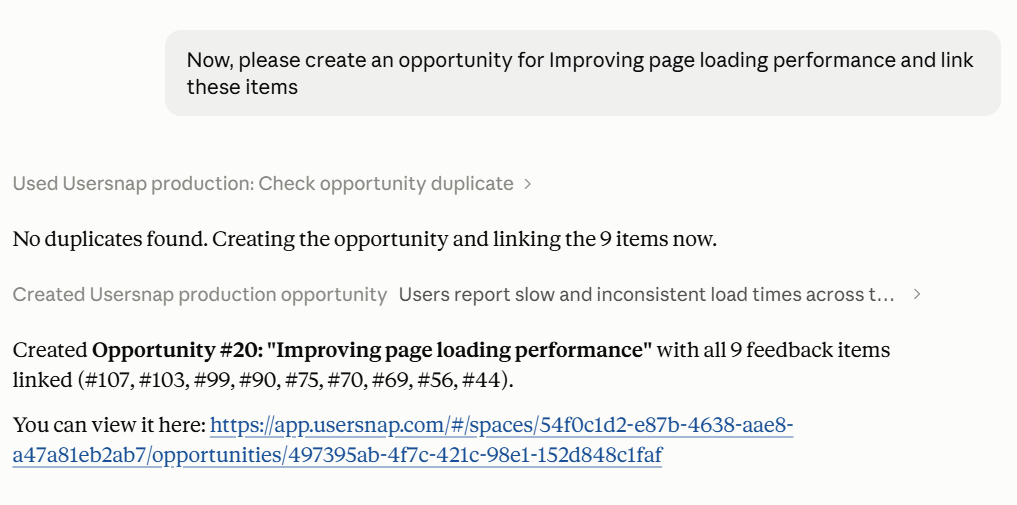
Search, create and update opportunities:
FAQ
Which AI assistants are supported?
The Usersnap MCP Connector works with AI assistants that support the Model Context Protocol (MCP). This includes Claude, ChatGPT, Cursor, and other compatible clients. For Claude, custom MCP connectors are available on paid plans and can be used through the web app or desktop application.
Can the AI access all of my company's feedback?
The AI can only access the data that you already have permission to view in Usersnap. It acts with your existing permissions and cannot access feedback, projects, or workspaces that you don't have access to.
Can the AI modify or delete my feedback?
No. The MCP Connector provides read access to your feedback and allows the AI to create new Opportunities when you ask it to. It cannot edit or delete existing feedback.
Is my customer data shared with other companies or used to train AI models?
No. The AI only has access to your company's data while handling your requests. Email addresses are automatically removed before data is sent to the AI, and your data is never mixed with another company's data.
What happens if I disable the MCP Connector?
Access is checked on every request. As soon as you disable the MCP Connector for your company, the AI immediately loses access to your Usersnap workspace.
Updated about 1 month ago