
Usersnap for CS Teams: turn customer conversations into product insights and boost retention
TL;DR:
Usersnap helps Customer Success teams collect customer feedback, identify churn risks, escalate product opportunities, collaborate with Product and Engineering, and close the loop with customers. Instead of scattered notes, support tickets, and spreadsheets, CS teams get one platform to capture customer sentiment, organize requests, communicate updates, and measure customer satisfaction throughout the customer lifecycle.
What is Usersnap for Customer Success teams?
Usersnap is a customer feedback platform built around the Product Development Lifecycle. Customer Success teams use it to collect customer insights, monitor satisfaction, identify risks, collaborate with Product and Development teams and ensure customers feel heard throughout their journey.
Instead of managing customer feedback across support tools, spreadsheets, call notes, and surveys, CS teams can centralize every interaction in a single workspace where customer insights become actionable evidence.
How do Customer Success teams use Usersnap throughout the customer lifecycle?
Usersnap helps CS teams create a continuous feedback loop:
- Collect customer feedback
- Identify trends with Sentiment Sensor
- Create opportunities and pass them to Product and Engineering
- Communicate progress
- Measure satisfaction
- Improve retention
1. Capture customer feedback and health signals
Every successful customer relationship starts with understanding what customers think and experience.
Usersnap provides multiple ways to collect structured feedback directly from customers.
1.1 Customer satisfaction surveys
Best templates to use:
- User satisfaction (CSAT)
- NPS for websites (Net Promoter Score)
- _Customer effort (CES)
- Feature Satisfaction
- Customer engagement
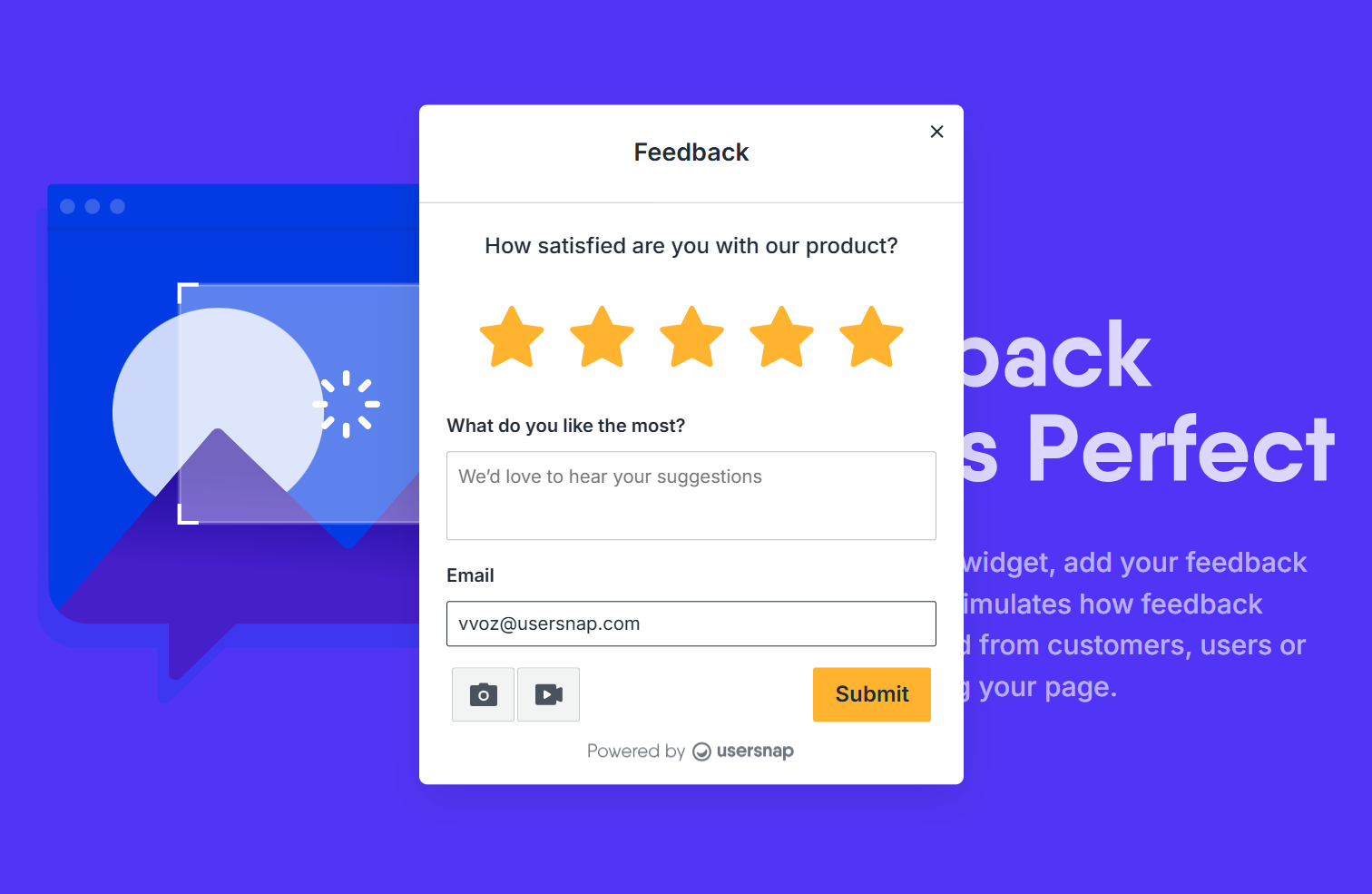
Use conditional raters to add an immediate follow-up and understand the reason behind the rating.
Example 1:
A customer contacts support about SSO setup issue. → After the case is resolved, the support agent sends a CSAT rater embedded in an email or support chat. →The customer gives a low score and mentions confusing documentation. → The support team identifies problem areas and works on improvements.

Example 2
A month after onboarding, users see a short in-app survey asking: "How satisfied are you with your experience so far?"→ Low scores triggers follow-up actions, helping the CS team address issues before they become churn risks.
By the way, you can also use multi-page surveys and conditional logic to create more advanced, longer-form surveys.
1.2 Capture feature requests during customer conversations
Invite customers to onboarding sessions, customer interviews and check-in calls using our Invitation template.
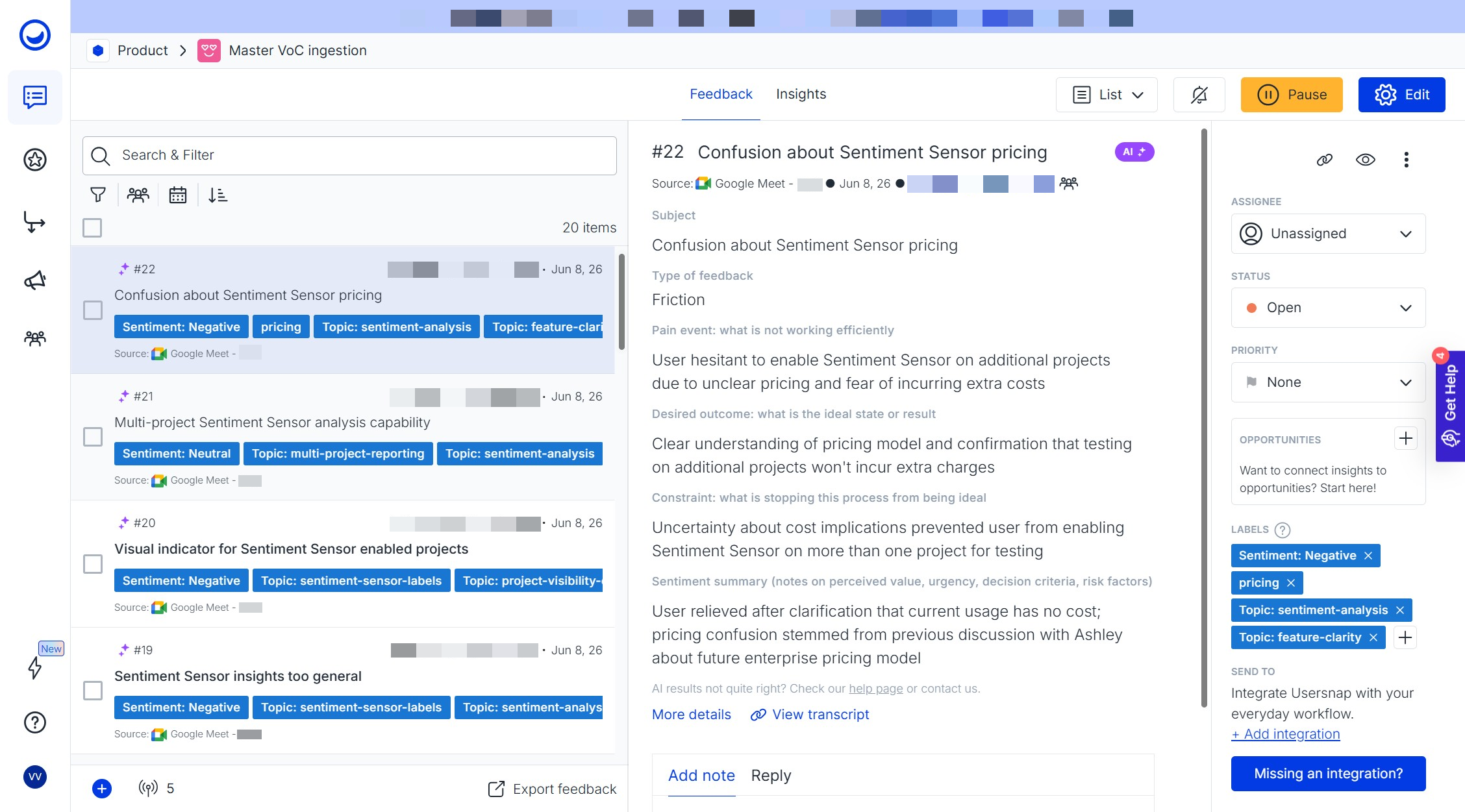
When customers request improvements during calls, use Channels Co-pilot to automatically analyze customer conversations and transform them into structured feedback items inside your project. Instead of manually documenting meeting notes or forwarding requests to Product, customer insights automatically flow into Usersnap.
Channels Co-pilot uses AI to analyze incoming conversations and extract structured insights such as:
- Problems and pain points
- Product frictions
- Feature ideas and requests
- And more
Templates:
- CS Insight Highlight
- User Call Research Brief
1.3. Capture feature requests during support conversations**
When customers request missing features and improvements during support interactions, you can also submit them directly into Usersnap using a browser extension or an internal widget.
This ensures Product teams understand the business impact behind every request.
2. Consolidate customer feedback in one workspace
Customer feedback often lives in multiple systems. Usersnap centralizes it into one dashboard where CS teams can:
- Organize feedback with labels
- Track progress using statuses
- Prioritize requests
- Visualize workloads through Kanban boards
- Reply directly to customers
Identify risks and trends with Sentiment Sensor
As feedback volume grows, manually spotting patterns becomes impossible.
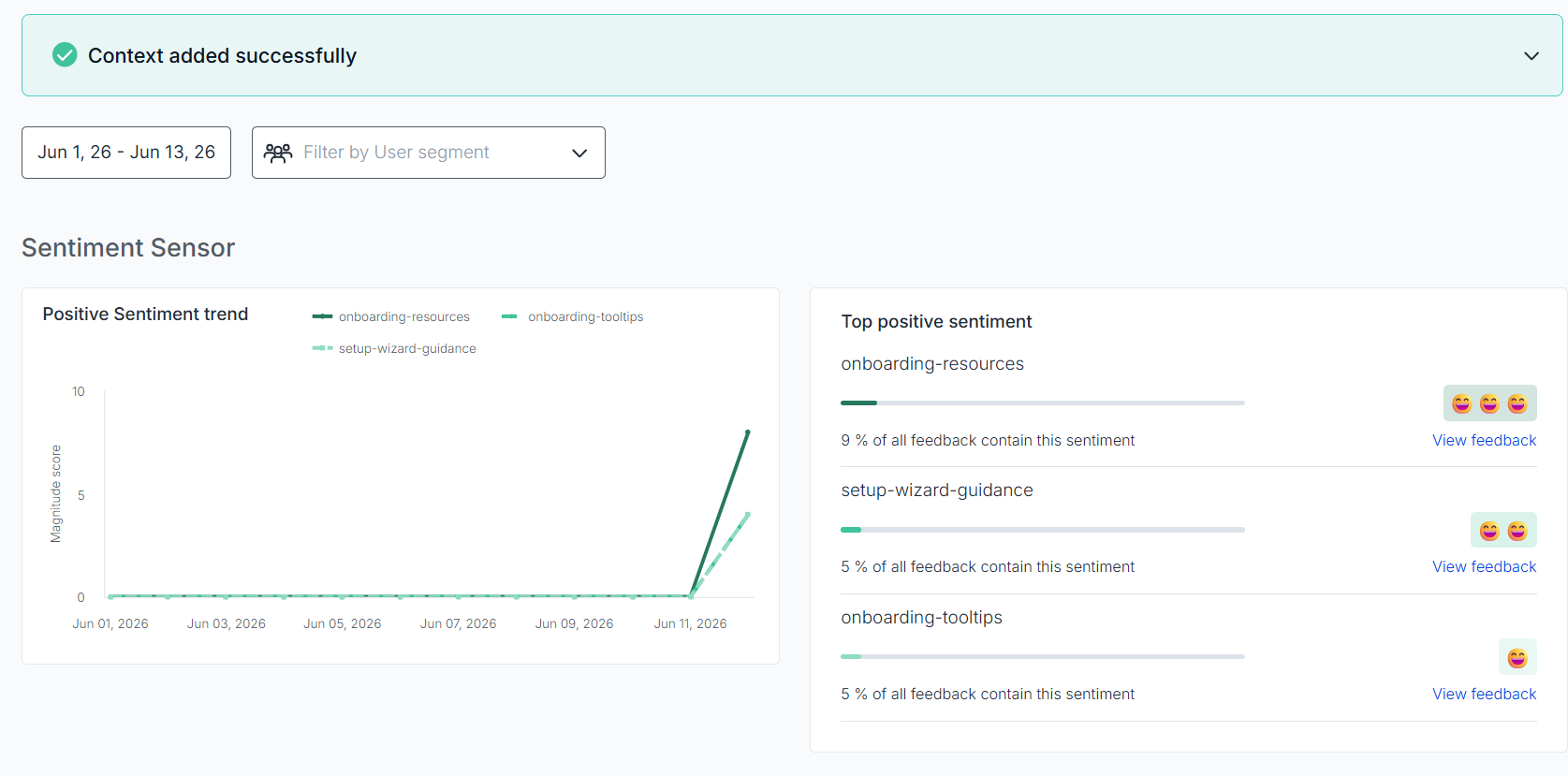
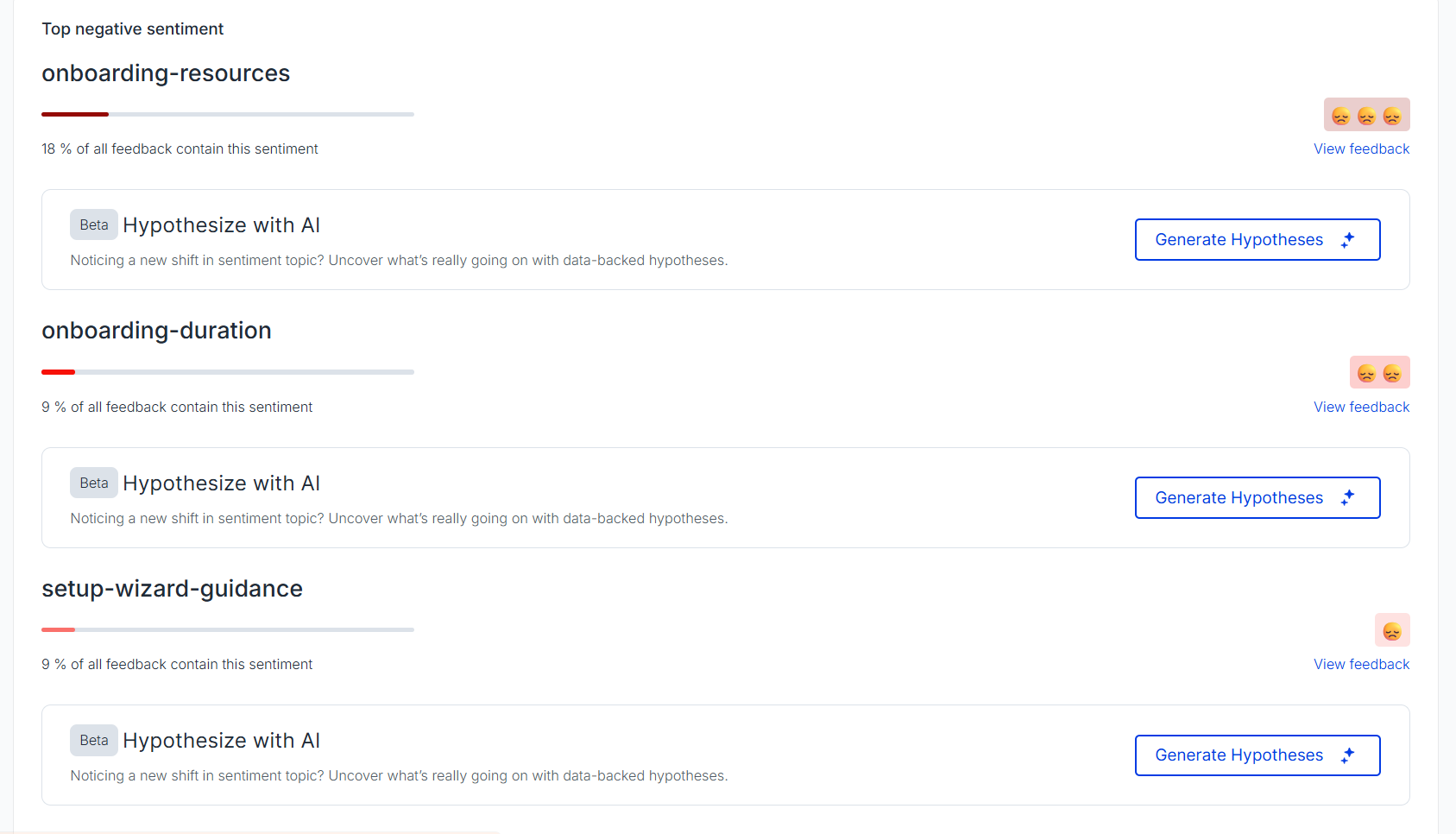
Sentiment Sensor automatically:
- Detects customer sentiment
- Groups similar feedback into Topics
- Highlights positive and negative trends
- Summarizes recurring customer concerns
This allows Customer Success teams to move from reactive support to proactive customer management.
Example:
Sentiment Sensor is enabled for the Onboarding feedback project. → It identifies the main positive and negative feedback trends and automatically defines which areas of onboarding should be improved.
4. Turn recurring requests into opportunities
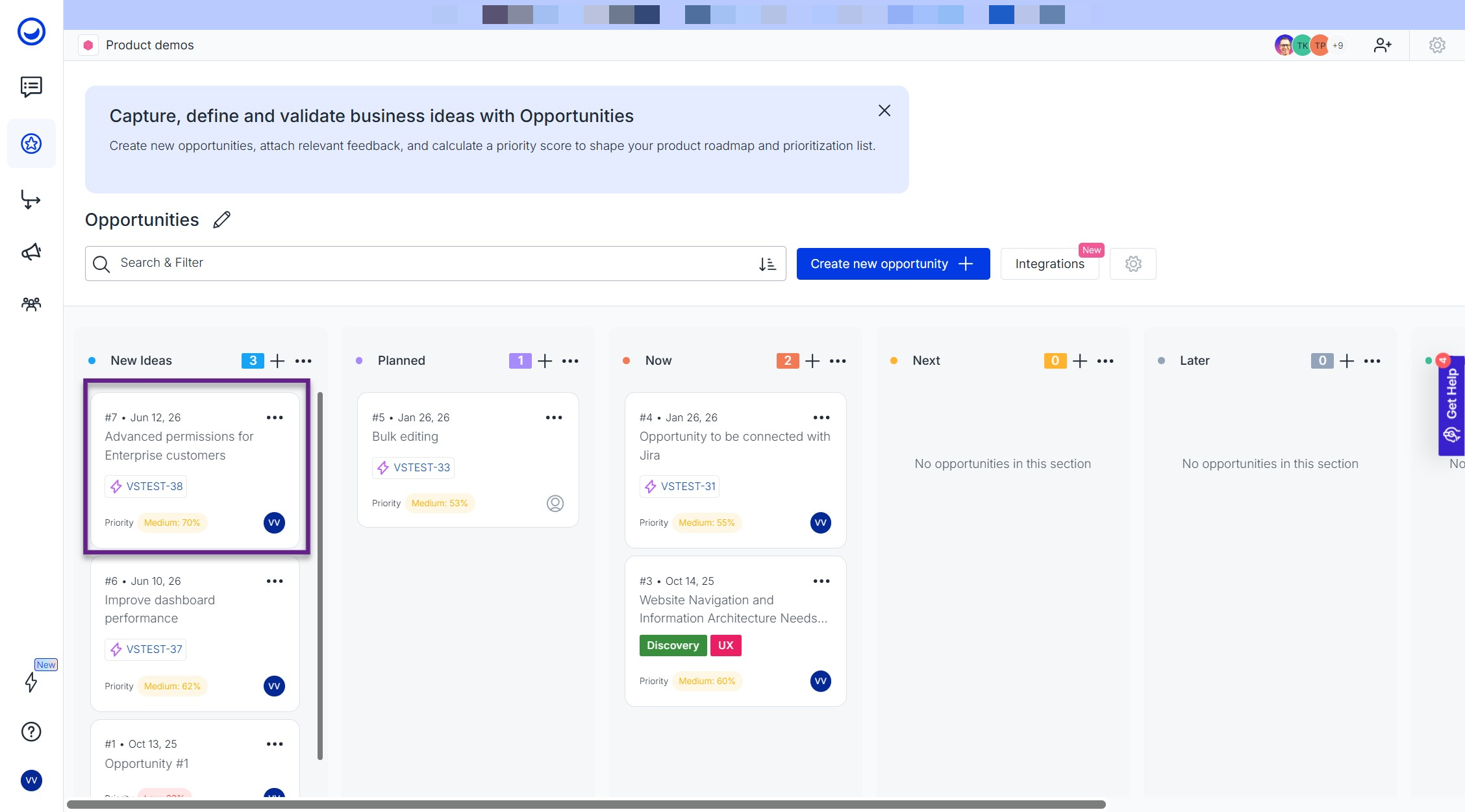
Once common customer issues have been identified, they can be turned into actionable items using the Opportunities board, where you can:
- Create opportunities from existing feedback items or hypotheses
- Share supporting evidence with Product teams
- Use the Kanban layout to visualize, track, and filter the roadmap
- Help Product teams prioritize opportunities by impact
- Track progress from discovery to delivery
This gives Product teams the context needed to make roadmap decisions while helping CS teams advocate for customer needs.
Example:
Several high-acv customers requested advanced permissions. Rather than forwarding separate tickets, the CS team creates a single opportunity and attaches all customer evidence in one place.
5. Collaborate with Product, Engineering, and customers
Customer Success works best when everyone shares the same customer context. In Usersnap, you can share important customer feedback directly with Product, Engineering and Marketing teams by assigning the feedback item to them or leaving them an internal note.
Collaborate externally through Public Boards
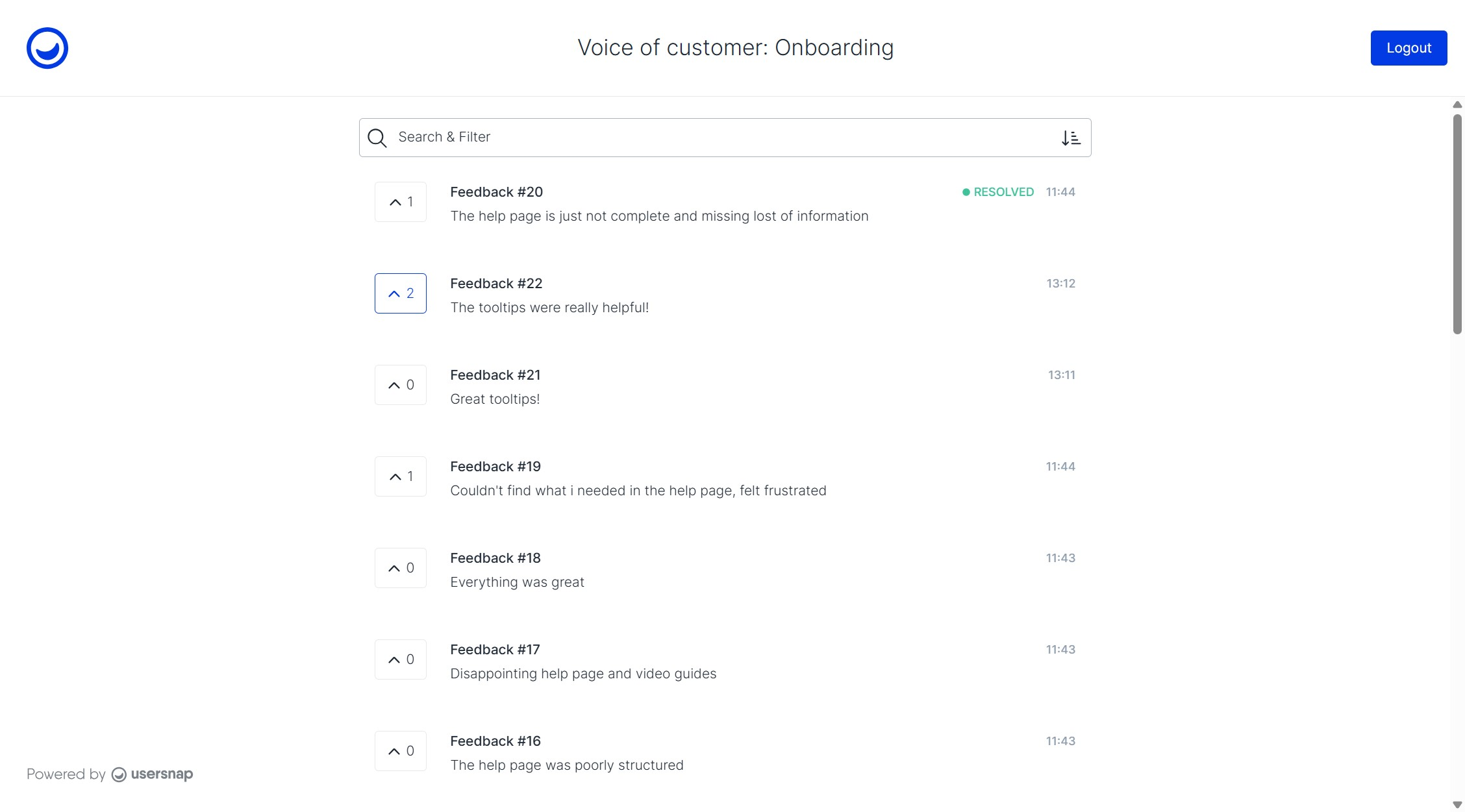
If you want to collaborate on the feedback with someone outside your Usersnap team or create a public feedback portal, try Public boards.
Use Public boards to:
- Share project overviews with freelancers, clients, or stakeholders from other departments
- Let customers upvote and comment on feedback items to surface the most-wanted improvements
- Run a lightweight feedback portal or feature voting workflow
6. Close the loop with announcements and updates
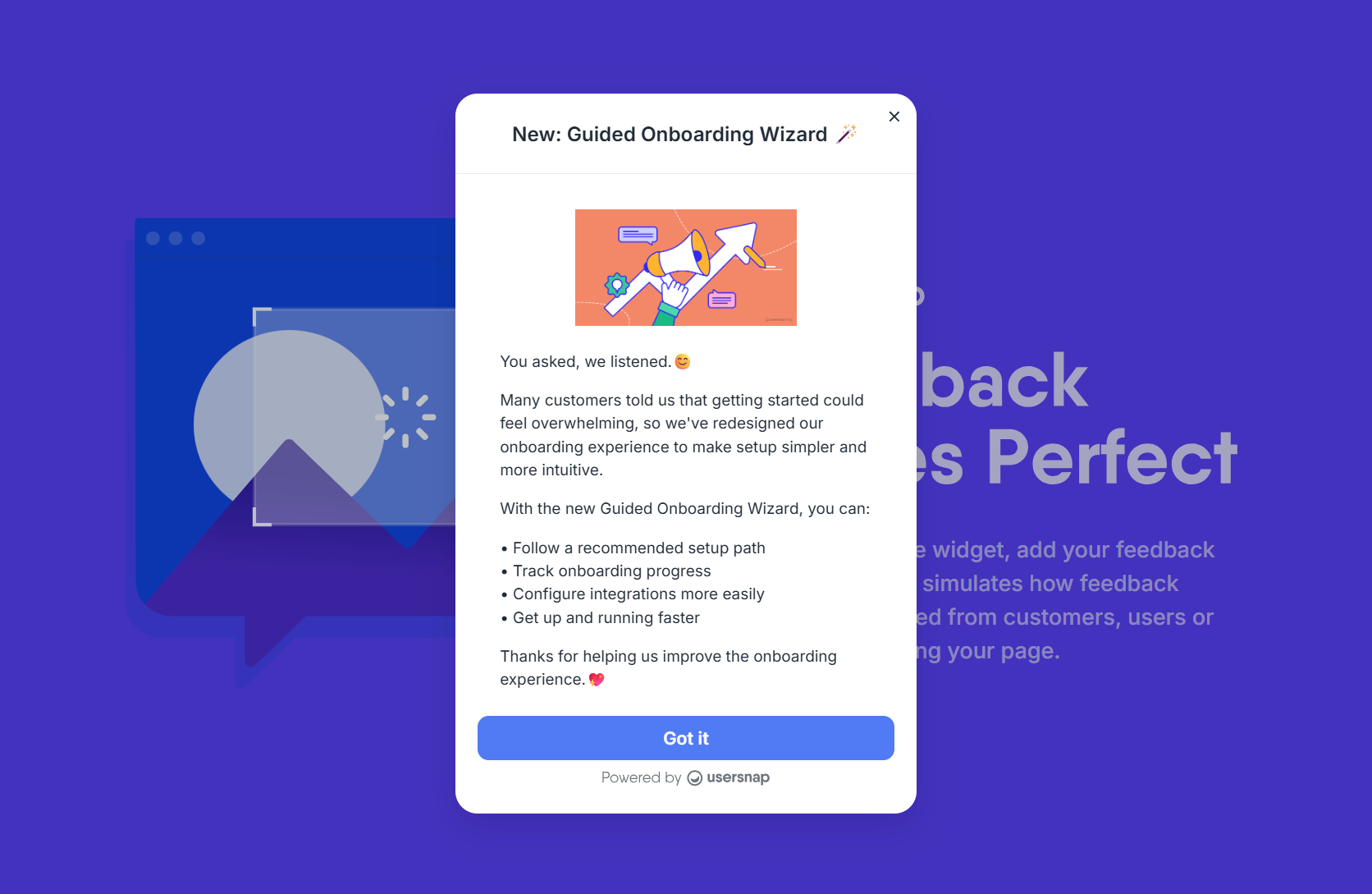
One of the most important responsibilities of Customer Success is ensuring customers know their feedback matters. Use Usersnap's announcements and changelog to let the customers know the product updates.
6.1 Announcements and Changelog
Use announcements and changelog to notify customers about:
- New features
- Product improvements
- Bug fixes
- Beta programs
- Upcoming releases
7. Measure outcomes and improve retention
Customer feedback shouldn't stop after delivery. You can continue the feedback loop by measuring customers' satisfaction with new improvements and monitoring sentiment changes.
When should Customer Success teams set up Usersnap?
Most CS teams use Usersnap for these four scenarios:
- Customer health monitoring. Track NPS, CSAT, CES, and satisfaction trends.
- Voice of Customer programs. Centralize customer interviews, support insights, and feature requests.
- Product feedback escalation. Turn recurring customer requests into evidence-backed opportunities.
- Customer communication. Close the feedback loop with announcements, changelogs, and follow-up surveys.
Common questions
Can Usersnap replace customer satisfaction survey tools?
Yes. Usersnap supports CSAT, NPS, CES, Feature Satisfaction, Customer Product Health Check, and custom multi-page and conditional logic surveys, all connected to the same feedback workspace.
How can Customer Success teams share customer insights with Product?
The Opportunities Board allows CS teams to attach customer evidence, requests, and feedback directly to opportunities that Product teams can prioritize and manage. Alternatively, if your Product team takes ownership of opportunities, you can tag them in important feedback items or add related feedback to existing opportunties.
Can I collect feedback from customer calls and interviews?
Yes. Using Channels, you can import conversations from connected sources, allowing customer interviews and calls to become searchable feedback alongside survey responses and support interactions.
How does Sentiment Sensor help Customer Success teams?
Sentiment Sensor automatically identifies recurring themes and customer frustrations, helping teams proactively address risks before they impact retention.
How can I show customers that their feedback matters?
Use Announcements, Changelog entries, Public Boards, and direct replies to close the feedback loop and communicate progress.
Which AI features does Usersnap offer?
Usersnap's AI features include Sentiment Sensor, AI-powered Topics (auto-clustering), Hypothesis Generator, Solution Generator, Alloy prototyping, as well as Channels, the data ingestion tool that turns raw customer conversations from call and support tools into structured product discovery insights.
To use the Sentiment Sensor with all related features (Topics, Hypothesis Generator, Solution Generator and Alloy prototypine), you need to opt-in in the Insights section. Channels is available automatically on eligible accounts, but no customer data is collected until you connect and configure a data source. See the pricing page for current plan-level availability.
Related guides for Customer Success teams
- AI-powered Automations
- Opportunities Board
- Public Board
- Announcements & Changelog
- Channels data ingestion
- Sister role guides: Usersnap for Product Managers, Usersnap for Dev teams, Usersnap for Marketing teams
- Usersnap pricing and plans
Turn customer conversations into stronger retention and better product decisions.
Start free with the first 20 feedback items, with no time limit and no credit card required.
Updated 4 months ago